Copying an activity is a quick way to set up your account, especially if you offer the same camp or class both in-person and online and want to reuse the information from the Activity Description.
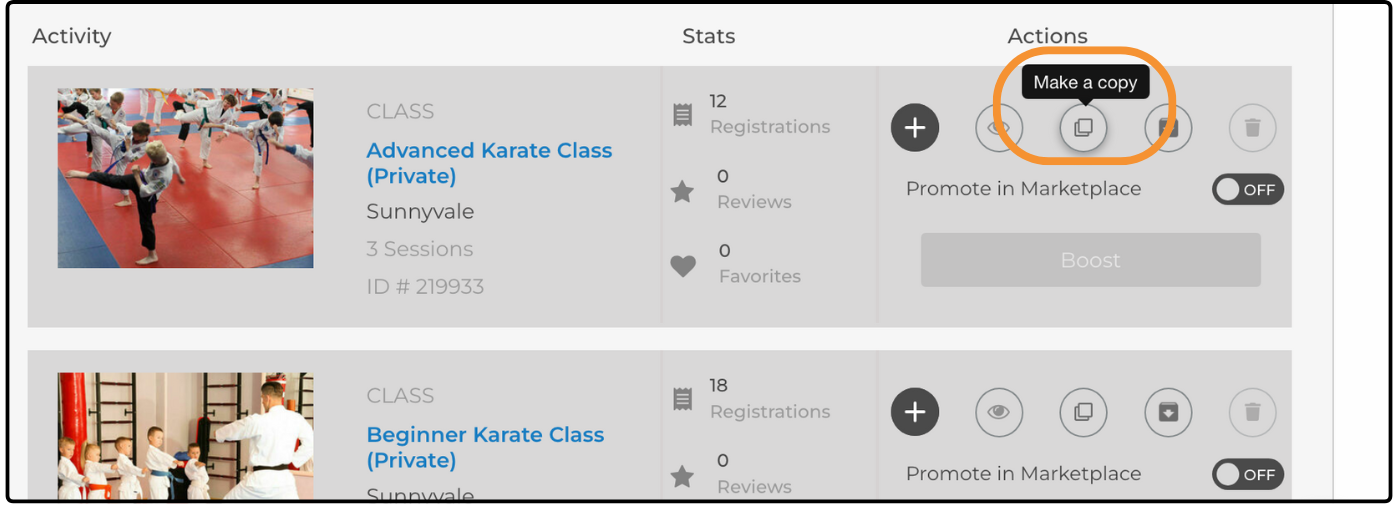
Copy an Activity
- From your dashboard, hover over Activities & Sessions and select Activity Manager.
- Find the activity you would like to copy and click Make a copy.
- The duplicate activity opens. Update the Activity Title and any other details needed for the new activity.
- Click Save & Continue on the right side of the page.
Your new activity now appears on the Activity Manager page.
TIP: Note: If you close the page without saving, the copied activity is not created.
Was this article helpful?
That’s Great!
Thank you for your feedback
Sorry! We couldn't be helpful
Thank you for your feedback
Feedback sent
We appreciate your effort and will try to fix the article