Online classes and camps are displayed on the Online search results page. These activities are displayed to everyone, nationwide.
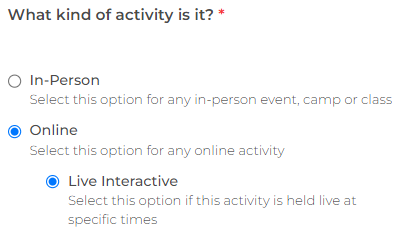
To list an online camp or class, select the activity type Online. Select this even if it is a camp. Your location is then listed as online.
When you add your start and end times, make sure the time zone is correct. This time zone is displayed in the listing, along with the user's local time zone.
You can also add Additional Session Details, such as the online meeting URL or a list of materials needed.
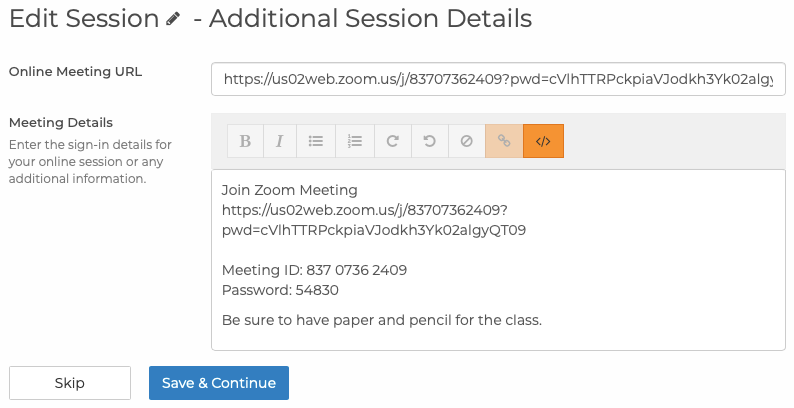
This information is included in the confirmation email. It is not displayed to the user until after they register.
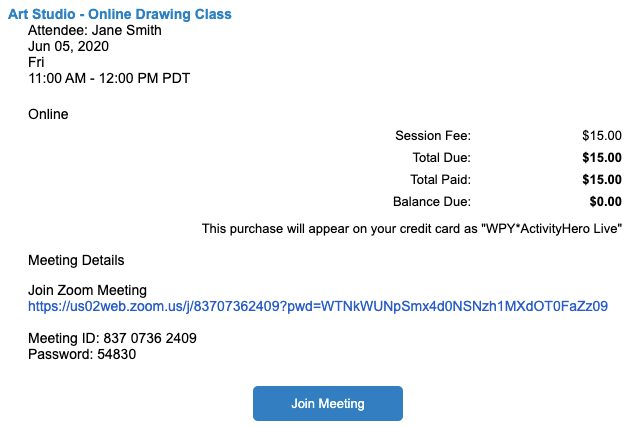
If you want to include the same information for all sessions of an activity, you can customize the email header/footer instead.
Related Articles ↑
Was this article helpful?
That’s Great!
Thank you for your feedback
Sorry! We couldn't be helpful
Thank you for your feedback
Feedback sent
We appreciate your effort and will try to fix the article