You can customize the auto-generated emails that are sent out when a parent/participant registers for your sessions. This information can be customized for each individual activity or location. This is a great option for providing additional information about things like sending a welcome notice, providing a list of things to bring, and offering instructions for further actions such as online classroom links and party bookings.
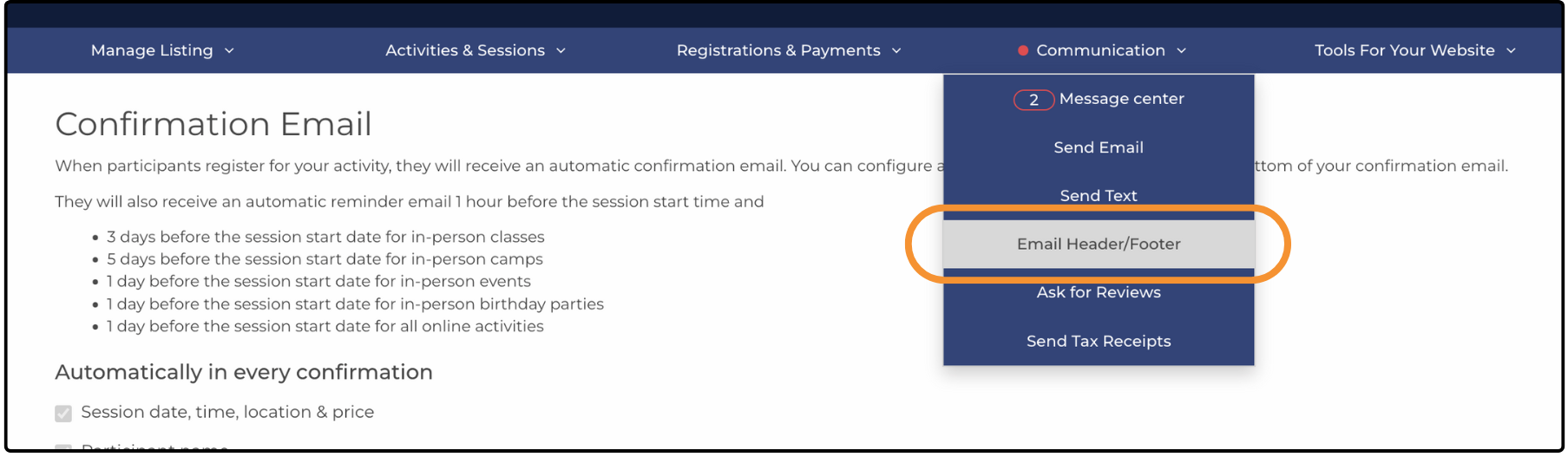
To customize this information, navigate to Communication > Email Header/Footer:
By default, the following information is included in the email:
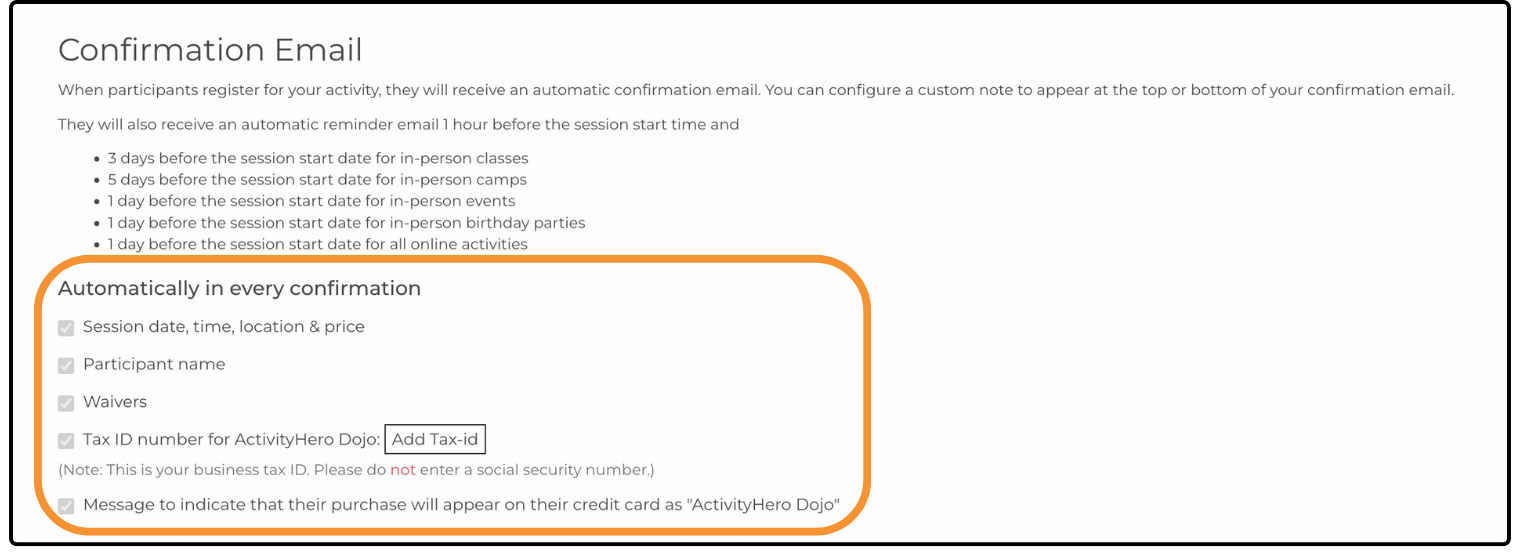
The default registration confirmation emails include the following header message:
"Thank you for registering through ActivityHero! You can view your registrations anytime on My Registrations.
If you did not finish your registration forms, complete your registration forms as soon as possible. These forms must be filled out prior to attendance."
To edit this message, select one of the three custom options:
Add the Same Header/Footer in All My Confirmation Emails
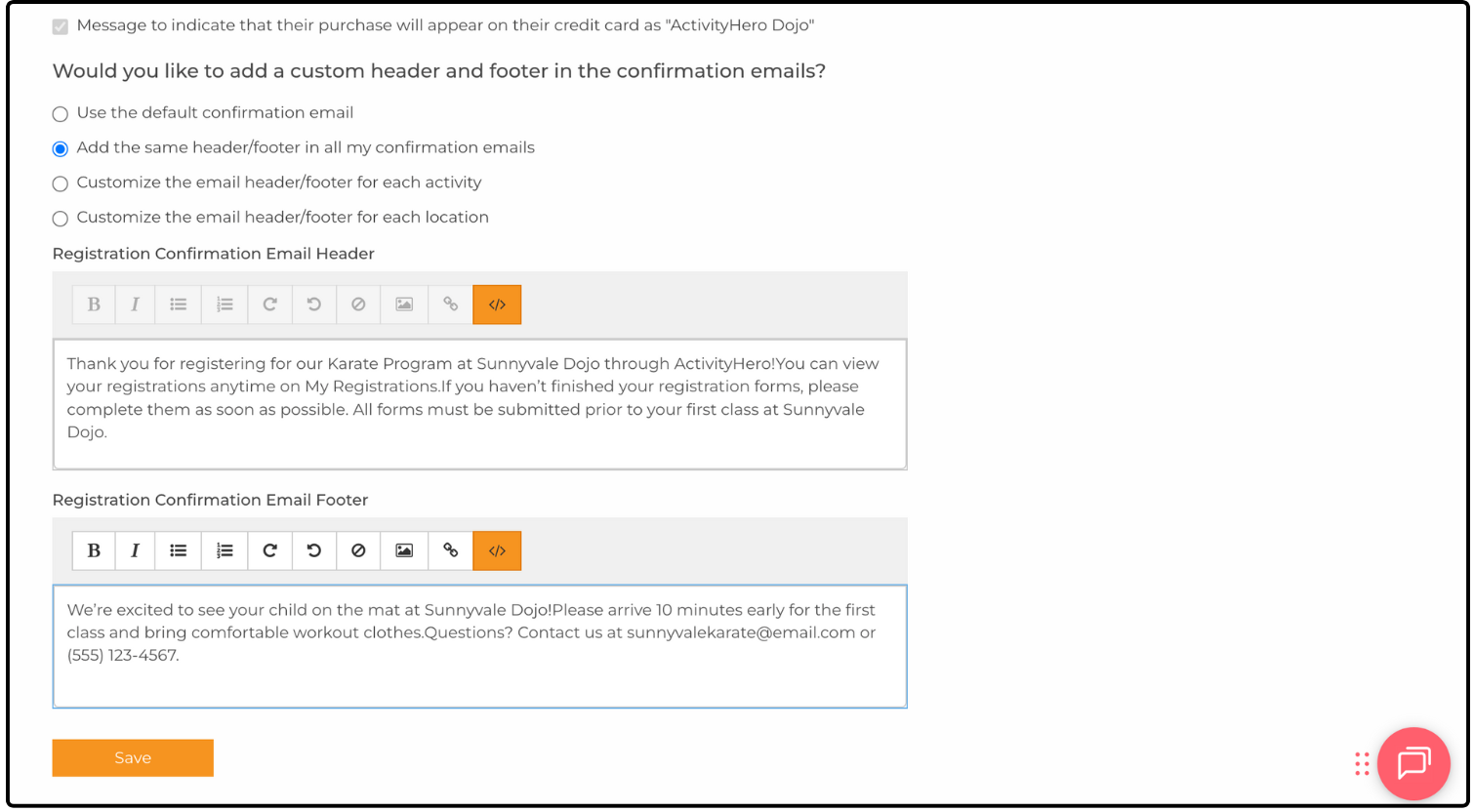
This option lets you create a single custom header/footer that replaces the default message in all confirmation emails.
Customize the Header/Footer of Each Location or Activity
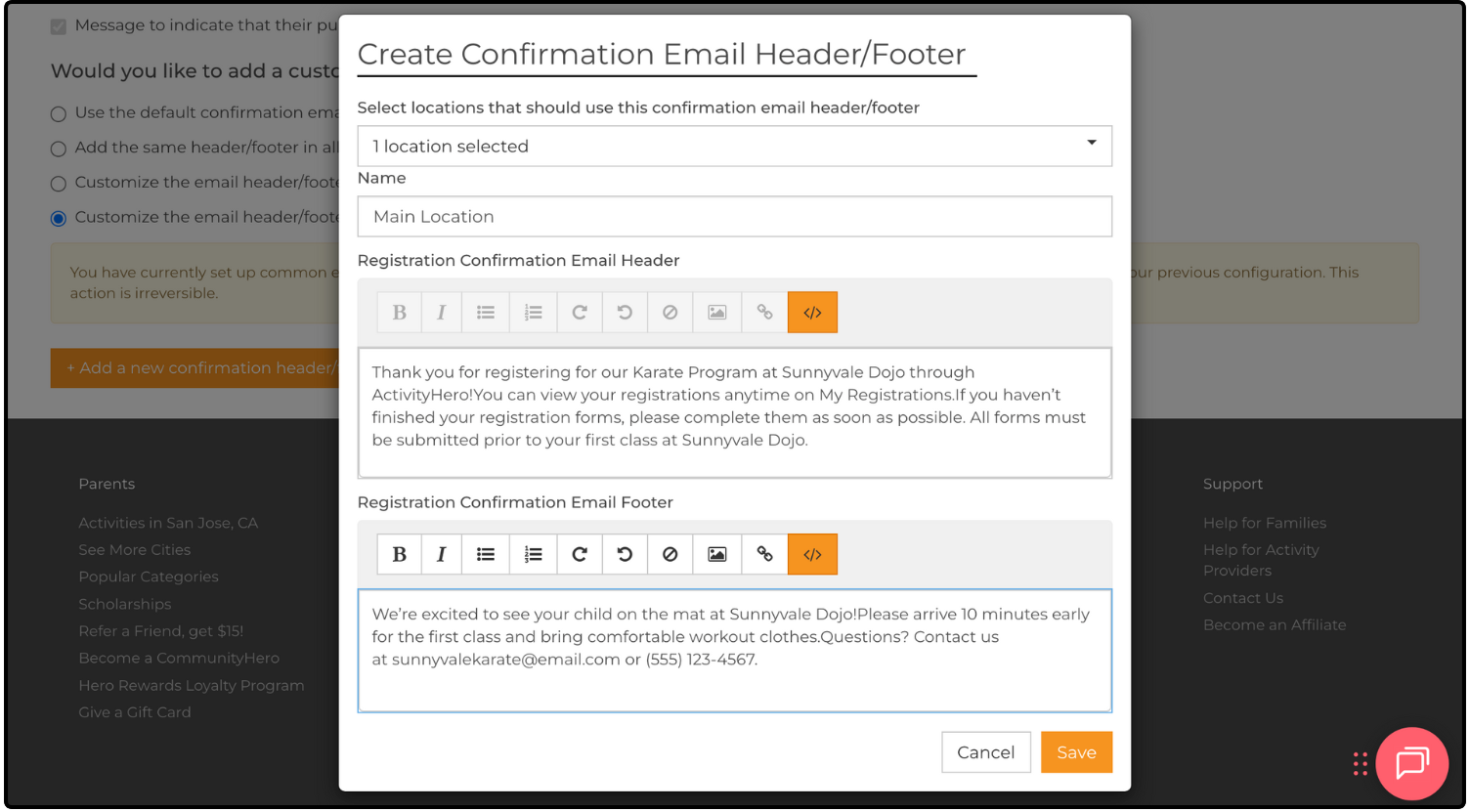
This option lets you create custom headers/footers that are assigned to each individual activity or location. You can select only one option, and changing this selection removes and resets all previous custom settings.
Activities or locations that are not assigned a custom header or footer use the default settings.
Custom Header/Footer List
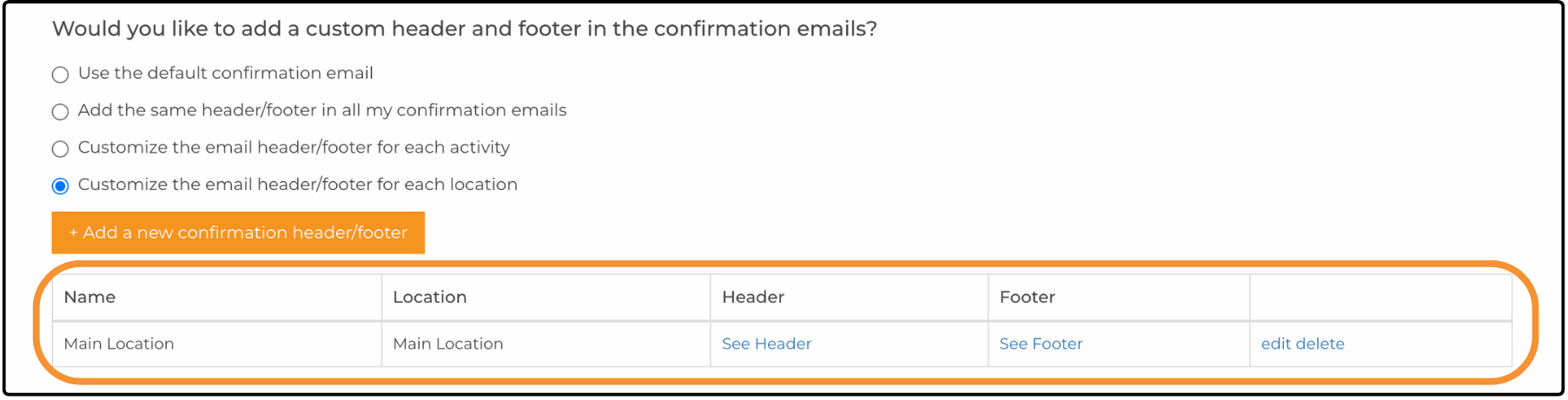
Custom headers/footers are stored as a list after creation. You can view, edit, or delete any custom settings at any time.
Was this article helpful?
That’s Great!
Thank you for your feedback
Sorry! We couldn't be helpful
Thank you for your feedback
Feedback sent
We appreciate your effort and will try to fix the article