This guide shows you the steps to send receipts for families.
TABLE OF CONTENTS
- Automatic Receipts Sent After Payment
- Year-End Tax Receipts
- Tax ID Requirement ↑
- What Families Receive ↑
Automatic Receipts Sent After Payment
When a family makes a payment, a confirmation email that includes payment information is automatically emailed. If the family only has a phone number on their account, they will receive a text message with a link to view the receipt online.
Year-End Tax Receipts
Tax receipts include all payments received in a single calendar year. They are typically sent at the end of the year for tax purposes.
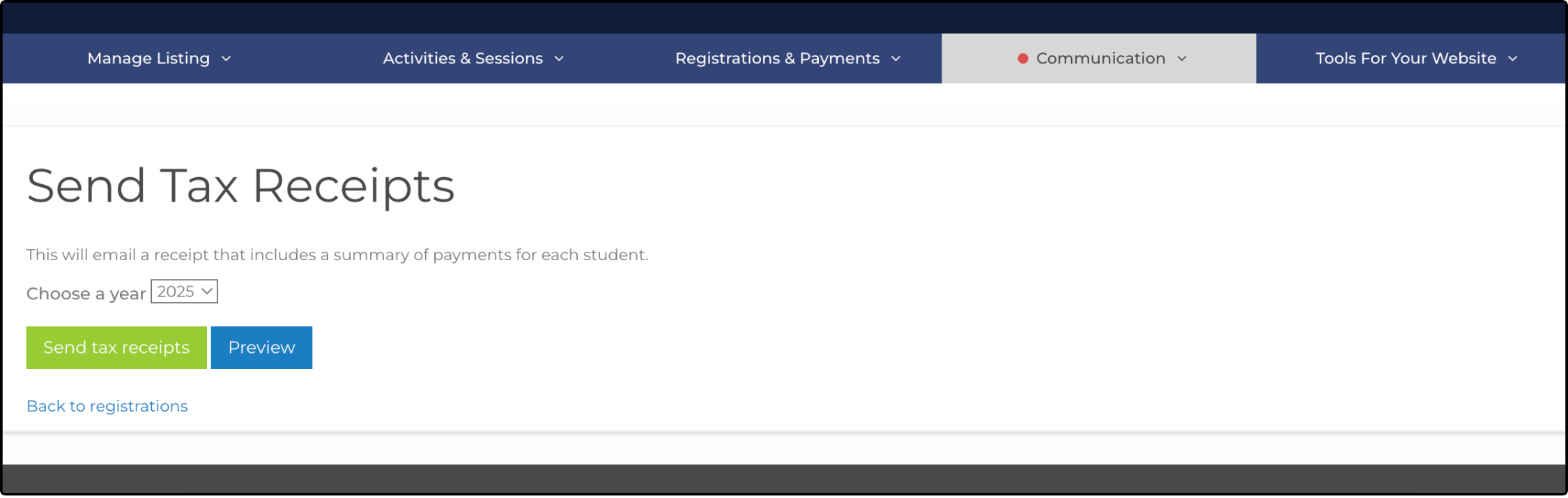
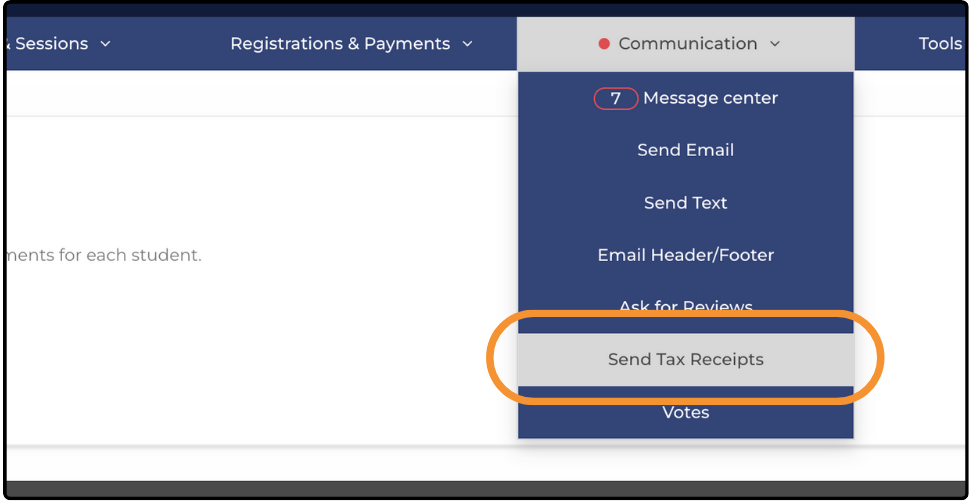
- From your Dashboard, hover over the Communication tab and select Send Tax Receipts.
- Select the tax year from the dropdown menu.
- Click Preview to review the information before sending.
- Click Send Tax Receipts to send each family's tax information individually.
Tax ID Requirement ↑
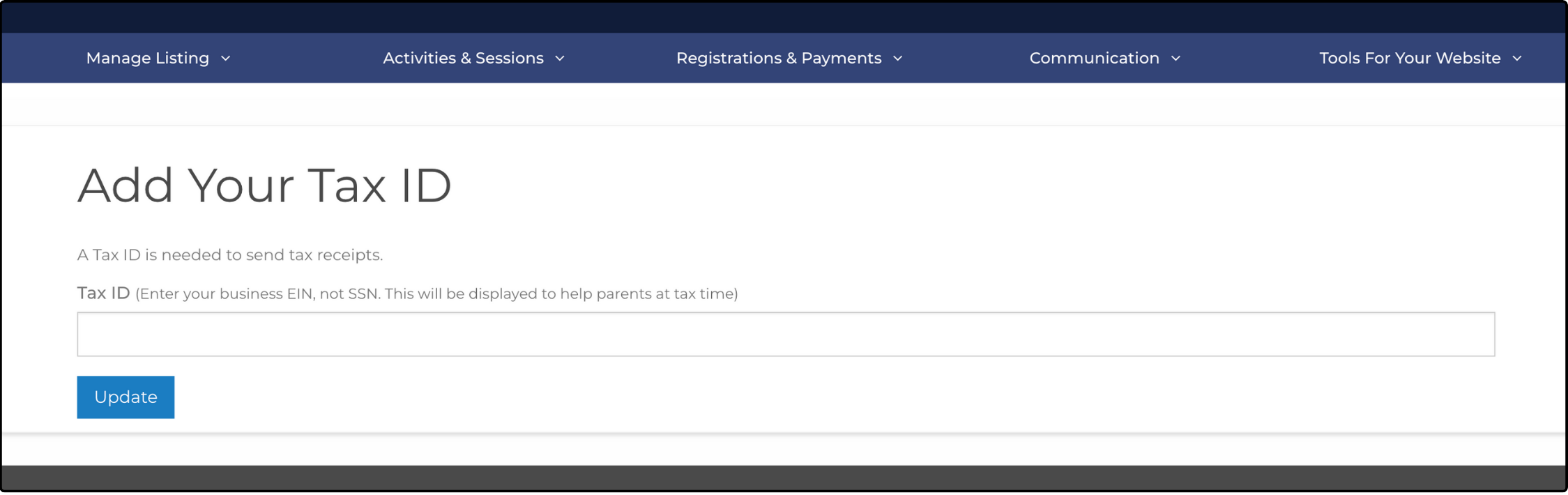
Your Tax ID is required to send tax receipts. If it has not been added to ActivityHero, you are prompted to do so before proceeding. Type your Tax ID in the correct nine-digit format (XX-XXXXXXX), then click Update.
What Families Receive ↑
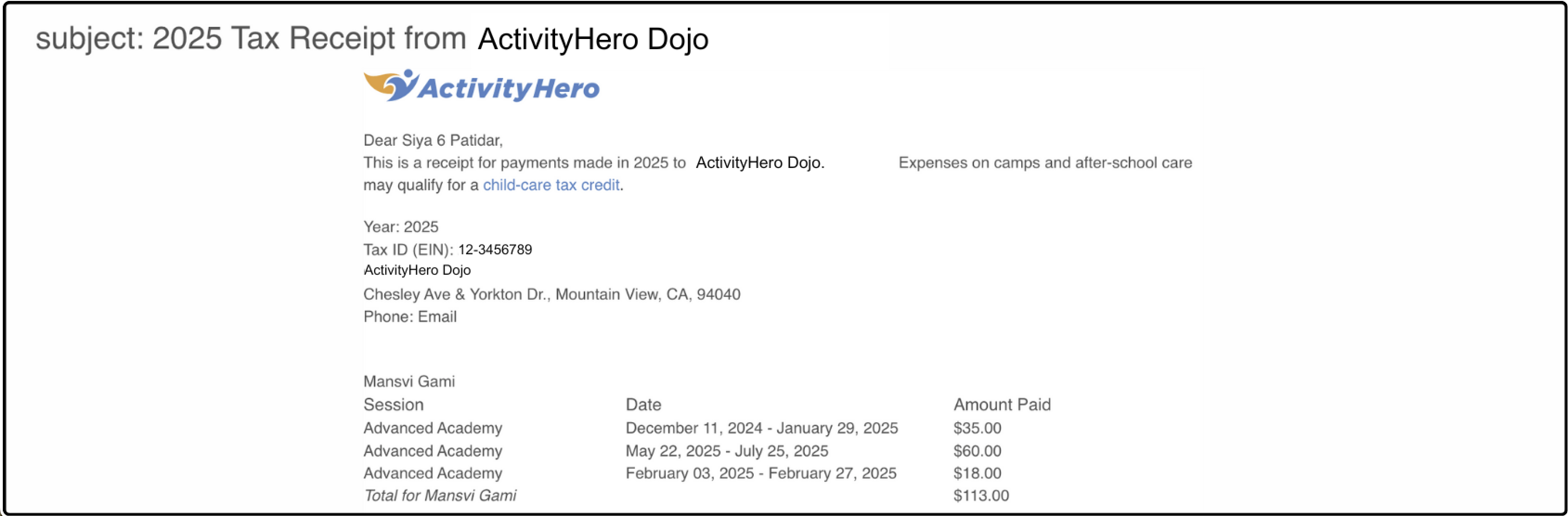
Families receive an email containing tax-related details for all participants and siblings who attended your program during the selected tax year. The email includes:
- Tax Information: Year, Tax ID, Business Name, Address, and Phone Number.
- Program Details: Participant Name, Session Name, Session Dates, and Amount Paid.
- Email Subject Line: [Year] Tax Receipt from [Your Business Name].
If a family reaches out individually for receipts, you can send them this article:
Was this article helpful?
That’s Great!
Thank you for your feedback
Sorry! We couldn't be helpful
Thank you for your feedback
Feedback sent
We appreciate your effort and will try to fix the article