To obtain receipts, parents can follow these steps in their account:
- Go to this page of your ActivityHero account: https://www.activityhero.com/registrations/my
(If the session has passed, click the "Past" tab)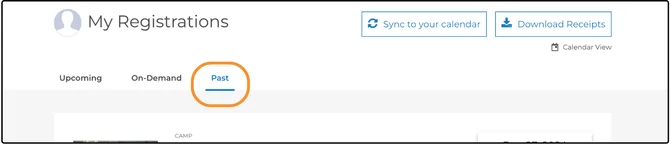
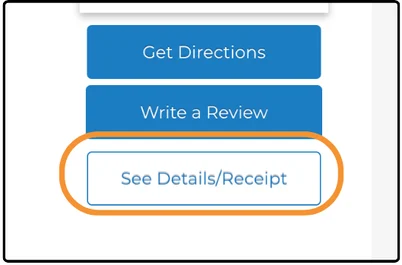
- Click the See Details/Receipt button on the registration
- Click Print Receipt. You can then either print or download a PDF version of your receipt.
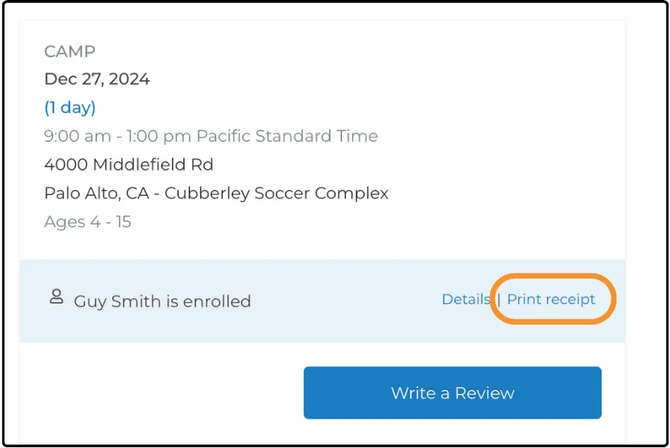
On that screen, you will see tax IDs and links to print the receipt for each of your registrations.
If a district has not added their Tax ID number to their listing, you may need to contact them directly for the information. You can get their contact information from your registration details.
Was this article helpful?
That’s Great!
Thank you for your feedback
Sorry! We couldn't be helpful
Thank you for your feedback
Feedback sent
We appreciate your effort and will try to fix the article