Note: Credits can also be issued as part of the standard refund process.
See this article for details.
You can issue user credits to families as a promotion, or as an alternative to providing a refund. When you issue User Credits, they are only valid for your activities and apply automatically to the user's cart at checkout.
Issuing Credits
1. From your dashboard, hover over Registrations & Payments and select User Credits.
2. User Credits can only be issued to existing ActivityHero accounts. type the user's email correctly into the Account Holder Email field. Type the amount of the credit, the expiration date, and a note on the reason for the credit. The user sees this note.
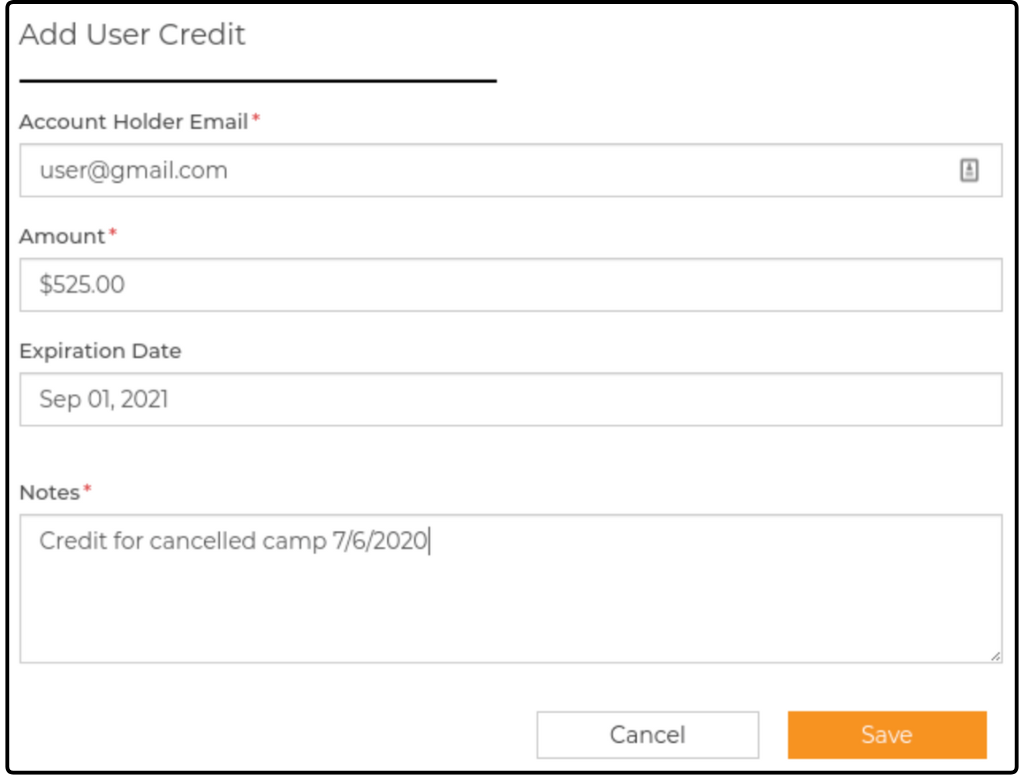
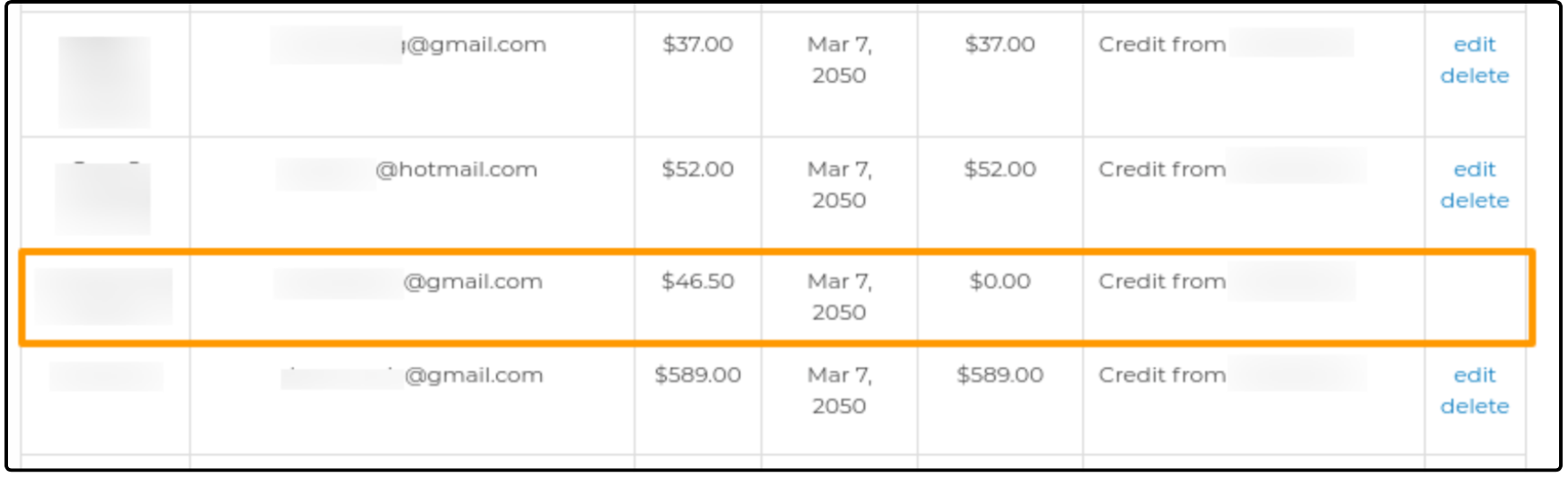
3. Once you click Save, the issued credit is added to the list and the Account Name of the user populates automatically. From this page you can edit or delete credits at any time, unless the credit amount has gone down to $0.
If a user cancels a session purchased with their credits, you need to issue new credits to them.
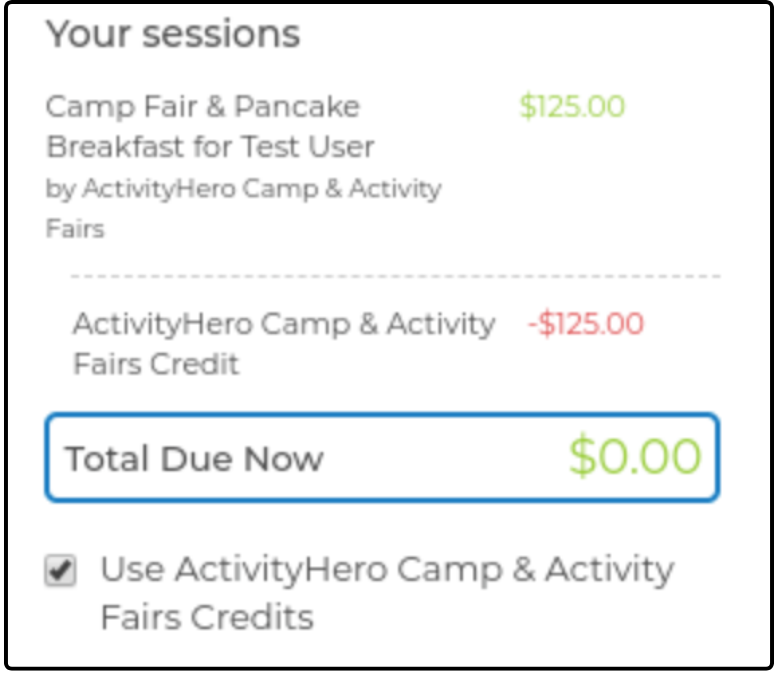
4. Credits continue to be applied automatically to your sessions in the user's cart at checkout until the amount is exhausted. However, the user can select not to use them by unchecking the box below their total amount due. The user cannot apply only a portion of their credit amount.
Related Articles ↑
Was this article helpful?
That’s Great!
Thank you for your feedback
Sorry! We couldn't be helpful
Thank you for your feedback
Feedback sent
We appreciate your effort and will try to fix the article