ActivityHero makes it easy for you to send links for families to register.
To create a link to a specific class or camp session:
To create a URL for a link to a list of classes open for registration:
To create a link to a specific class or camp session:
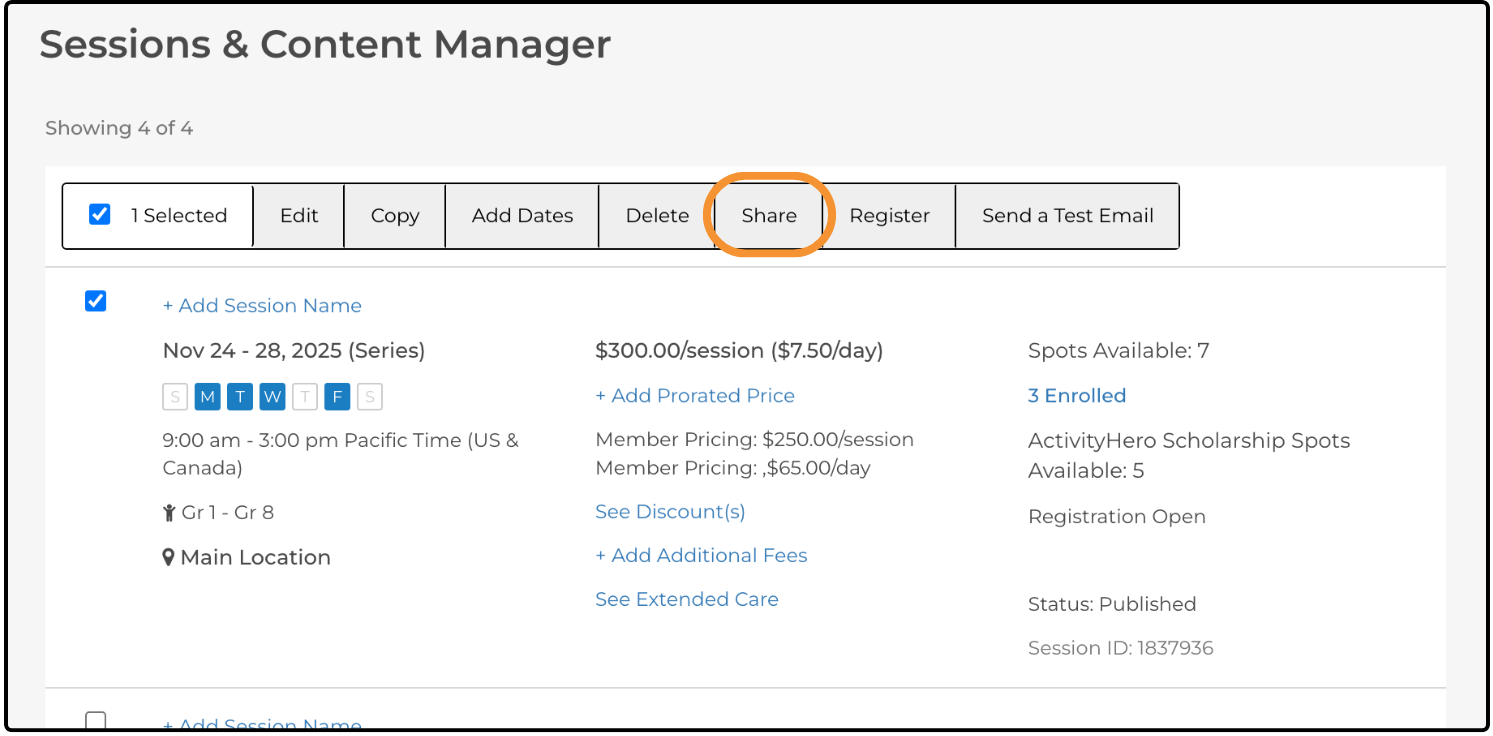
- From the Dashboard, navigate to Activities & Sessions > Sessions & Content Manager.
- Select the session by checking the box on the left side.
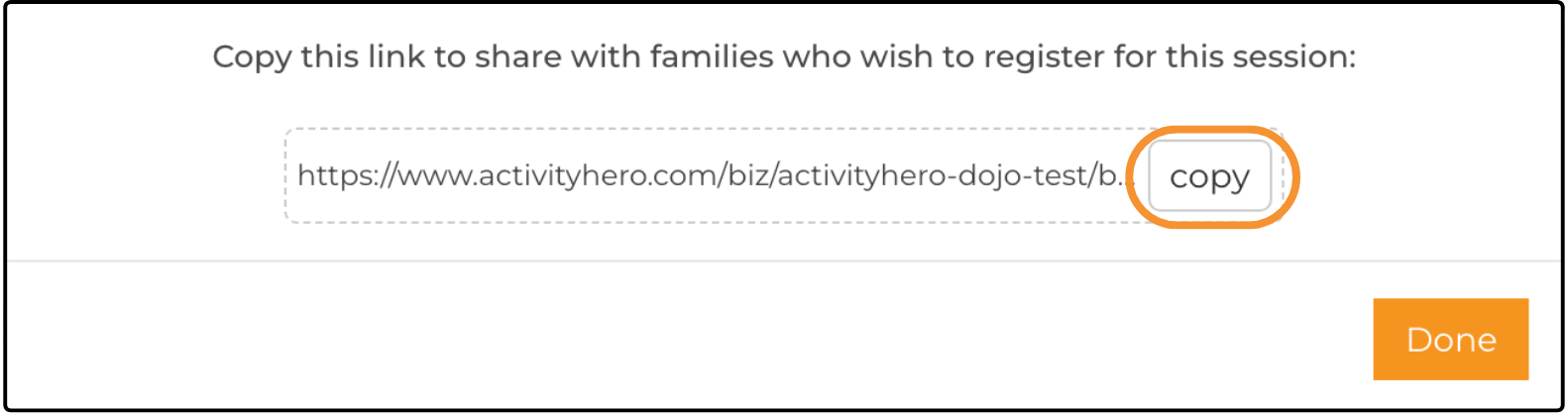
- Click Share.
- Copy the link URL. This link includes tracking to indicate that the registration came from your website.
To create a URL for a link to a list of classes open for registration: ↑
- Create a widget. For more information on widgets, see this help article.
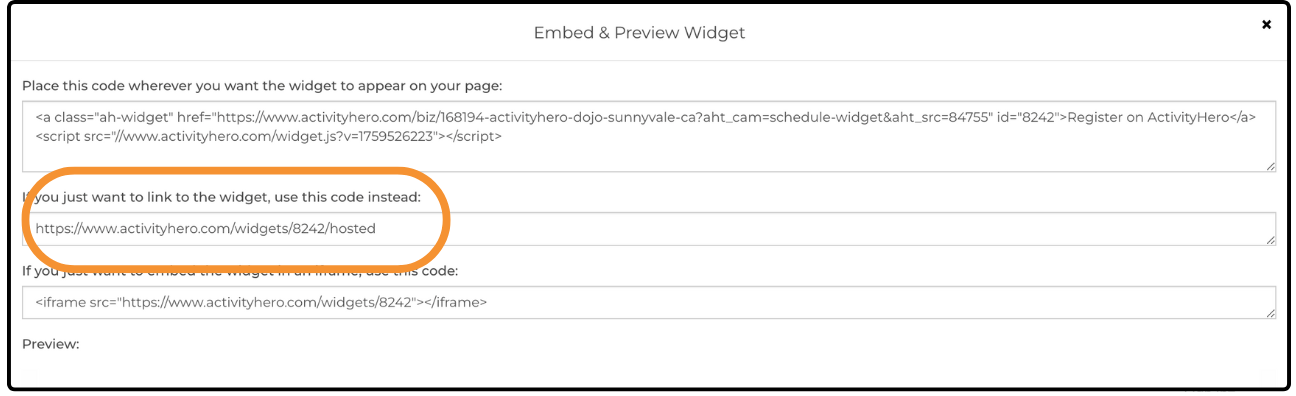
- Click Embed & Preview.
- Copy the URL in the If you just want to link to the widget field.
Related Articles ↑
Was this article helpful?
That’s Great!
Thank you for your feedback
Sorry! We couldn't be helpful
Thank you for your feedback
Feedback sent
We appreciate your effort and will try to fix the article