Send text messages to update registered families that have subscribed to SMS texts in their ActivityHero account.
SuperHero partners have the option to use our SMS feature to send quick text messages. These can be used for session reminders, rain cancellations, etc.
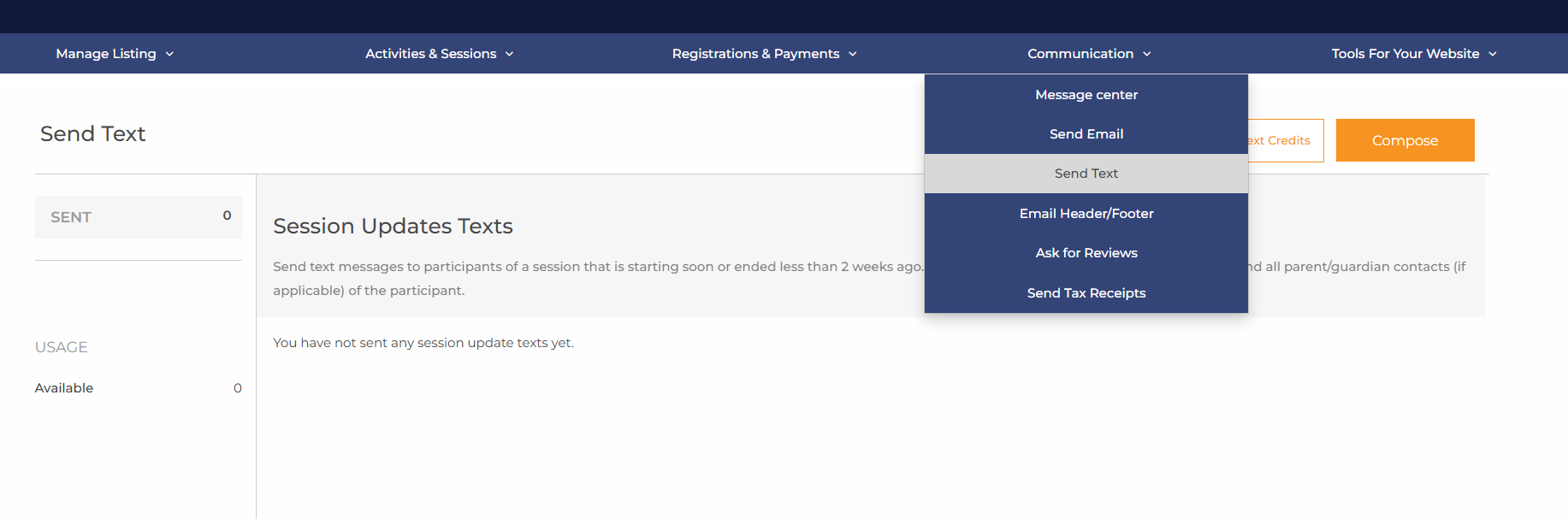
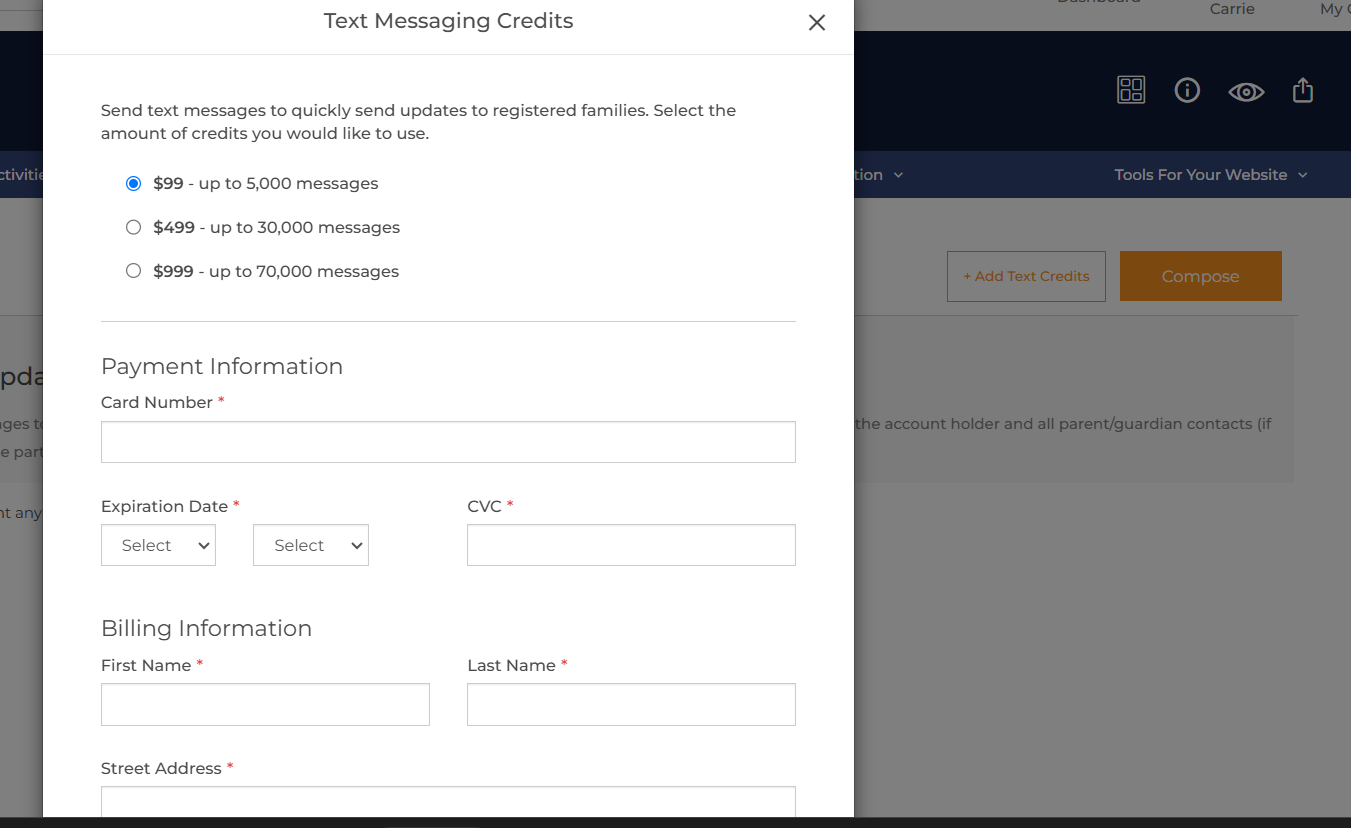
To purchase an SMS package, navigate to Communication > Send Text, click Add Text Credits, and select a package.
SMS Packages
$99 - 5,000 messages
$499 - 30,000 messages
$999 - 70,000 messages
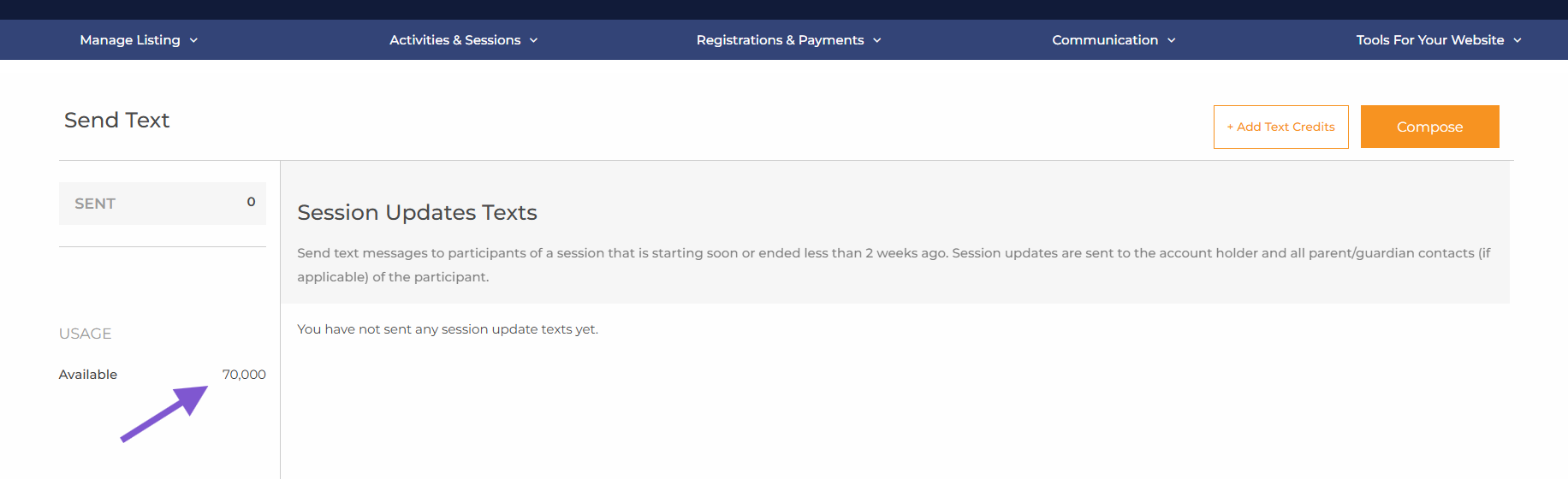
Once the package is purchased, you can track your usage on the Send Text page.
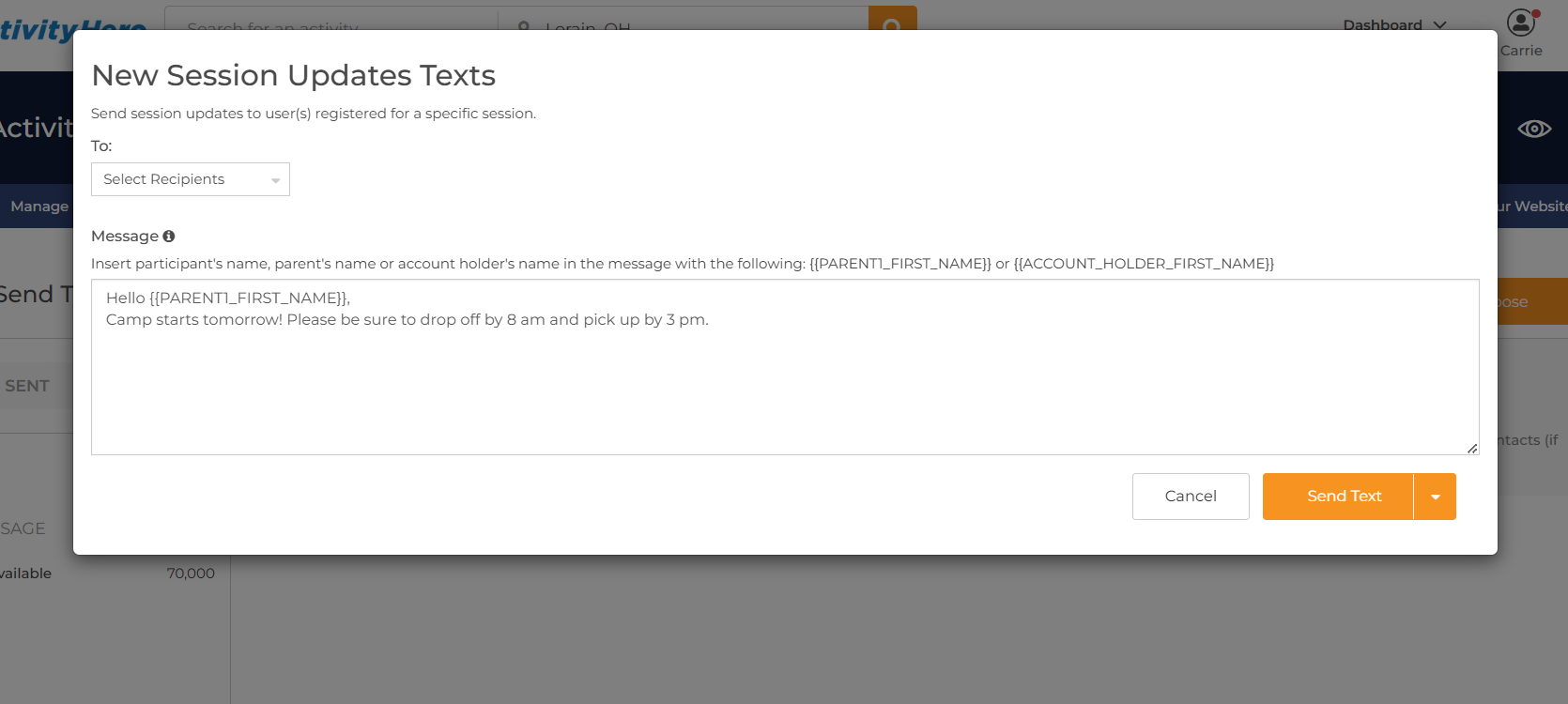
Click Compose to begin writing your message. Select the recipients, type your message, then click Send Text.
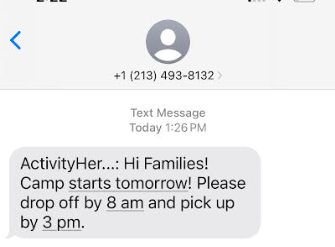
there is a 160-character limit per message, including spaces.
The recipient receives the message, which begins with the first 11 characters of your business name.
Note - You do not receive any replies to this text message.
: This feature is available only to SuperHero providers.
Was this article helpful?
That’s Great!
Thank you for your feedback
Sorry! We couldn't be helpful
Thank you for your feedback
Feedback sent
We appreciate your effort and will try to fix the article