MarketingHero customers receive email confirmations for new registrations, helping to complete the communication loop between the family, ActivityHero, and your business.
Email Confirmation
Participant Information
Lack of Availability
This article is specifically for MarketingHero plans.
Email Confirmation
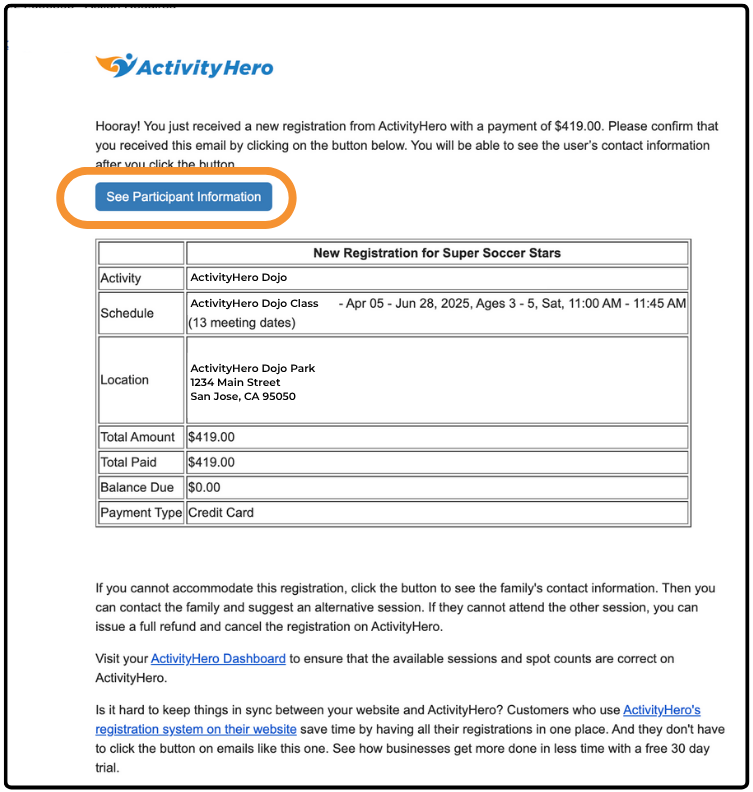
When a family registers for a session, you receive an email confirmation that includes the payment amount. Click the link in the email to go to your ActivityHero Registration Report, where you can view participant details.
Important Reminder:
This confirmation step serves as an internal prompt to add the participant to your roster. Not confirming the registration does not trigger an automatic refund or notify the family that their registration has been canceled or modified. You are still responsible for confirming the registration status and contacting the family directly to provide available options, such as a refund, session change, or provider credit.
Participant Information ↑
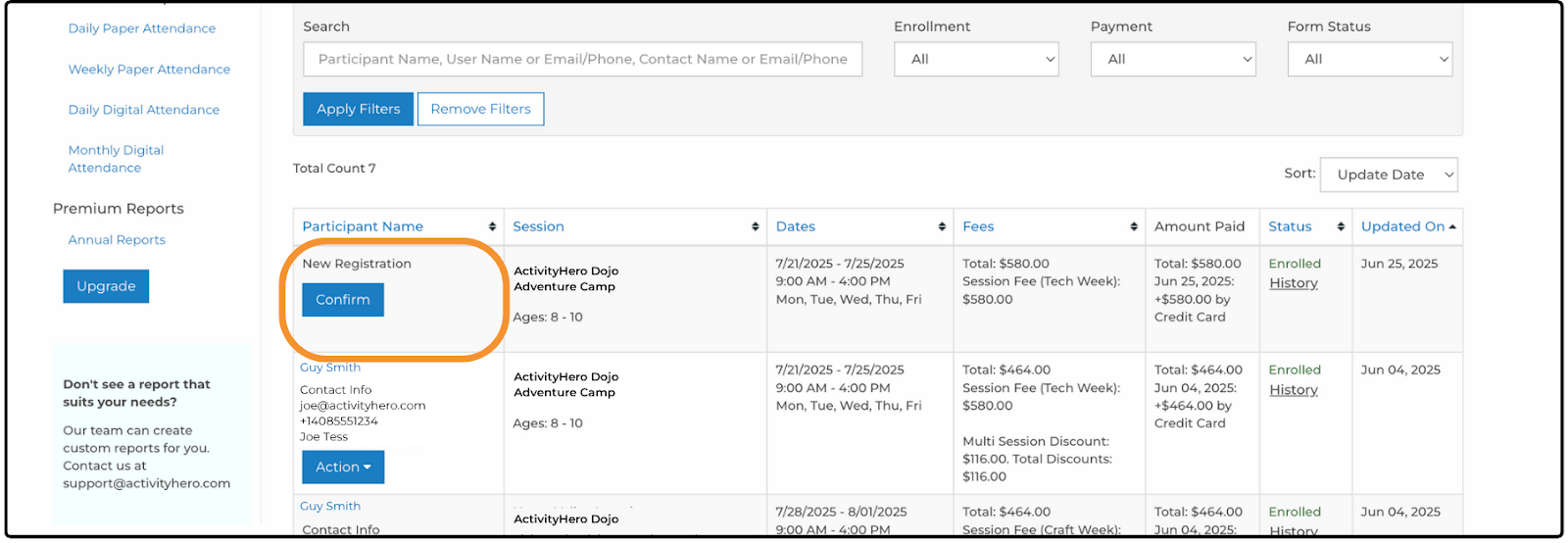
You can view all participant details in your Registration Reports. From your dashboard, navigate to Registrations & Payments > Registration Reports. A list of all registered participants is displayed.
Before you confirm a registration from the email, participant information is not displayed.
After the registration is accepted, the participant details are displayed, allowing you to contact the family and add them to your system if needed.
Lack of Availability ↑
If you are unable to accommodate a registration, you can contact the family to suggest an alternative session. If they are unable to attend the alternative, you can issue a full refund and cancel the registration on ActivityHero.
For more information, see our help articles:
Related Articles ↑
Was this article helpful?
That’s Great!
Thank you for your feedback
Sorry! We couldn't be helpful
Thank you for your feedback
Feedback sent
We appreciate your effort and will try to fix the article