ActivityHero makes it easy to change a participant's session after they've registered. Just follow the steps below to update their session.
ActivityHero makes it easy to change a participant's session after they've registered. Just follow the steps below to update their session.
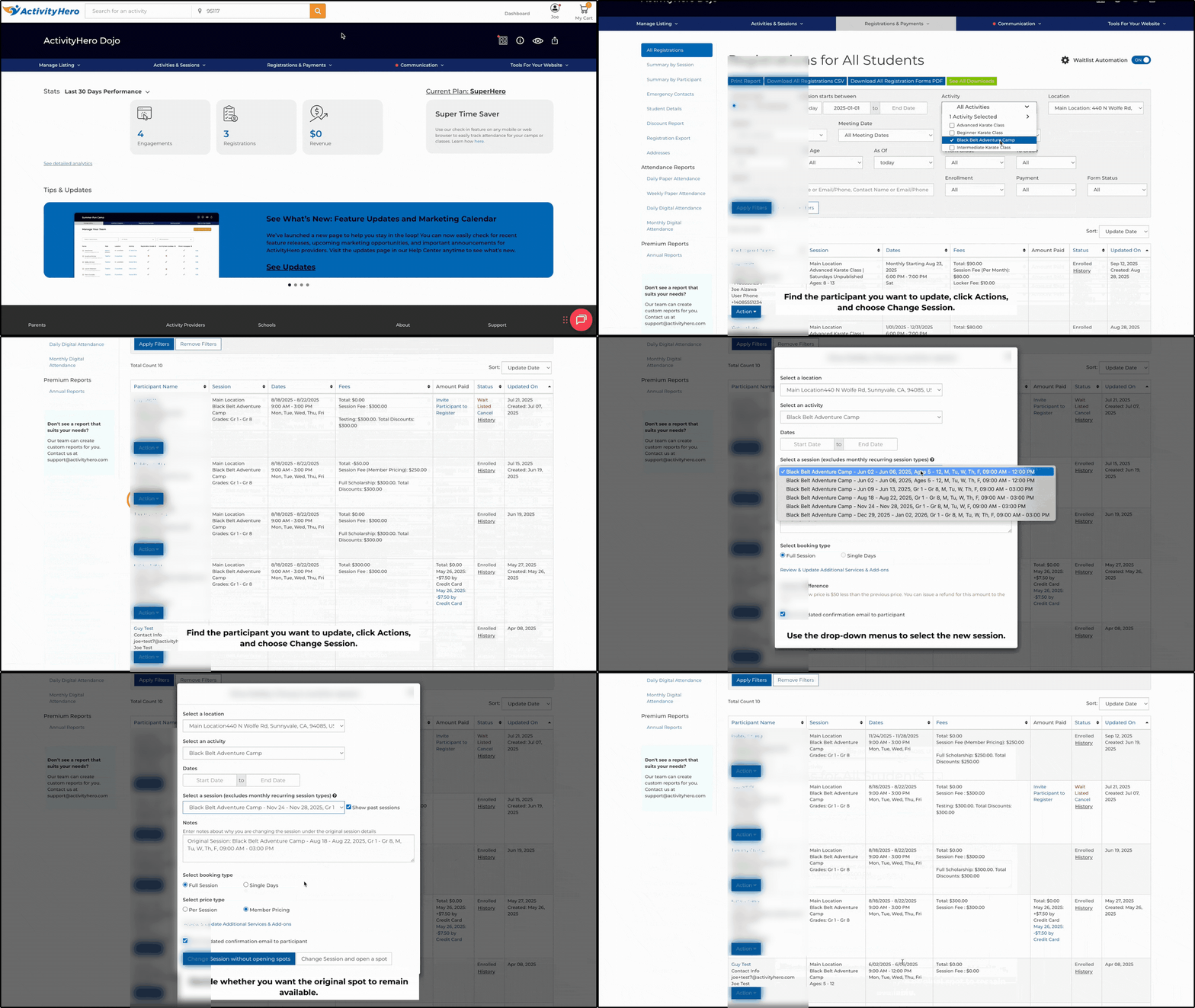
To change a participant's session:
- From your dashboard, navigate to Registrations & Payments > Registration Reports.
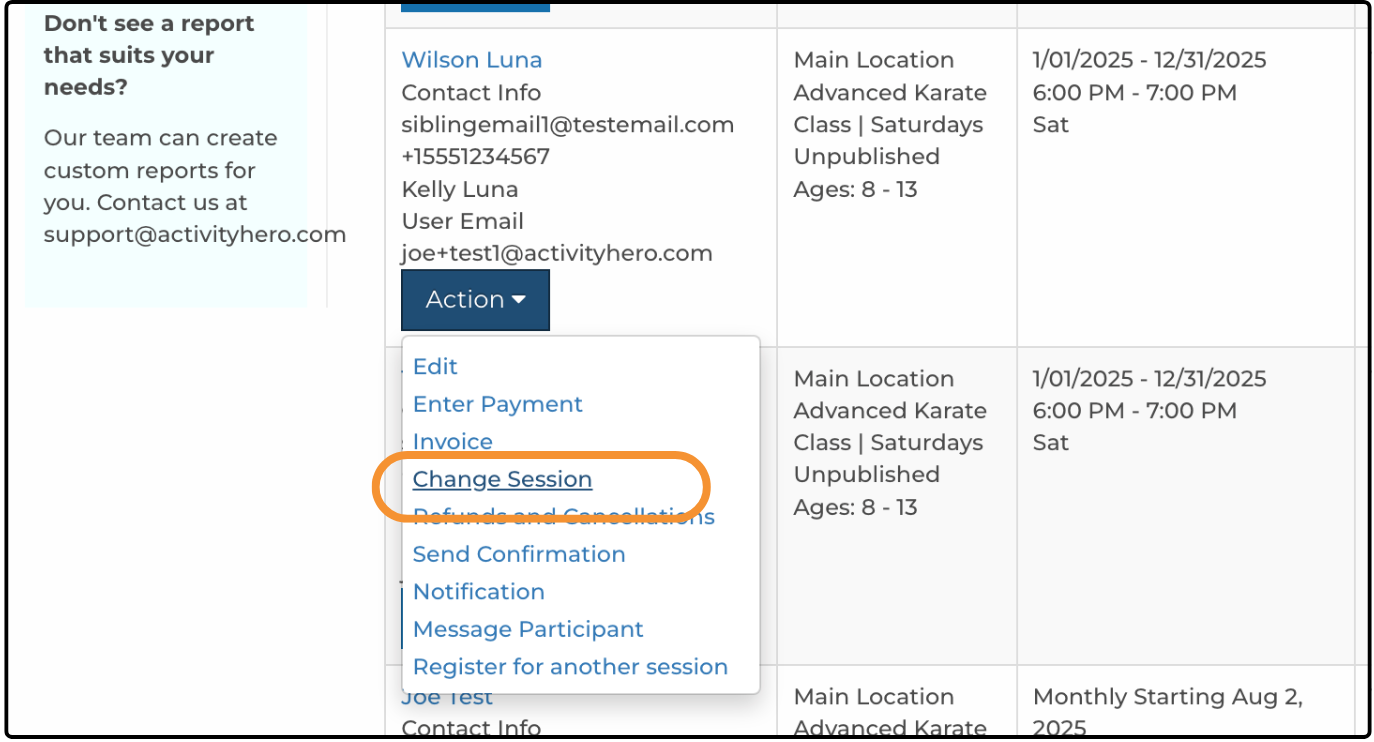
- Find the participant you want to update, click Action, then select Change Session to open the editing page.
- Use the drop-down menus to select the new location, activity, and session. If needed, you can move the participant into a session that is full or waitlisted.
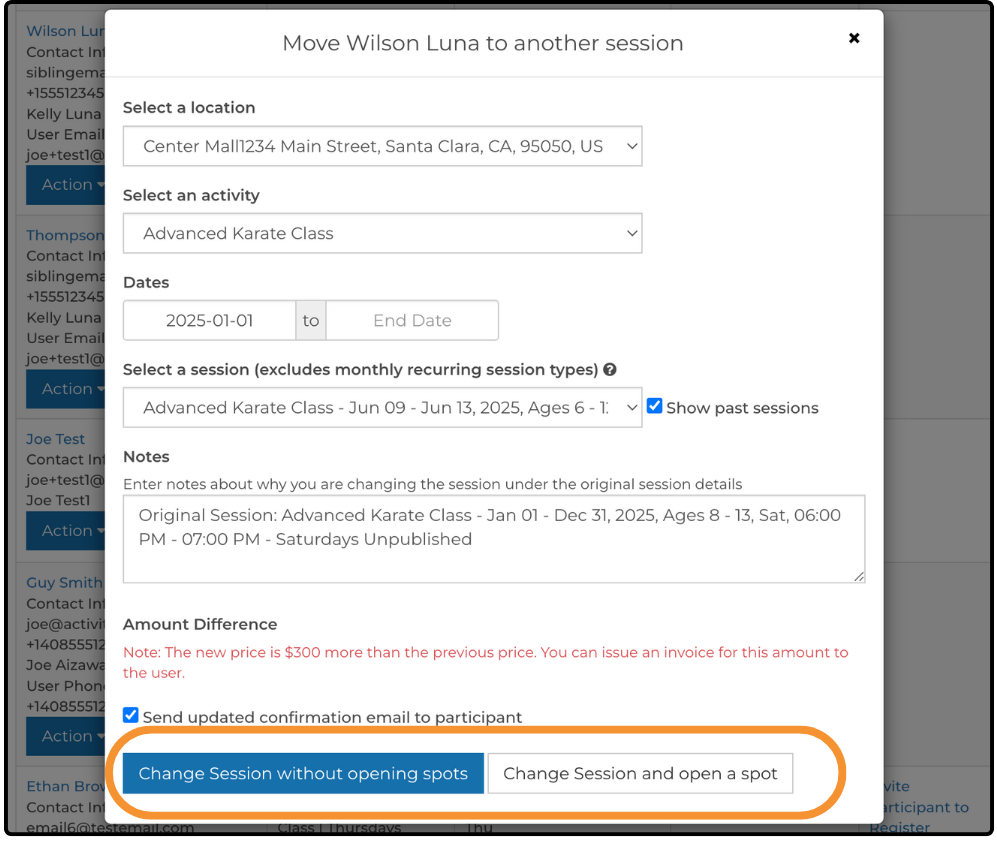
- To finish, decide whether you want the original spot to remain available.
- Select Change Session without opening spots to keep the spot count the same.
- Select Change Session and open a spot to make the spot available for another registration.
If you use custom questions on your registration forms, keep in mind how they work when moving a participant between sessions. When you move a participant, the questions for the new session are displayed. If there are new custom questions the participant has not answered, those are marked as missing. If the old session included questions that do not appear on the new session, those answers are not saved. Only the responses that apply to the new session are displayed.
Was this article helpful?
That’s Great!
Thank you for your feedback
Sorry! We couldn't be helpful
Thank you for your feedback
Feedback sent
We appreciate your effort and will try to fix the article