By default, camps on ActivityHero are set to accept registrations up to four days before the camp start date. If your camp starts on a Monday, this cutoff date is Thursday at midnight PST. This setting ensures that camps have enough advance notice of a new participant.
However, some families still want to register for camp at the last minute, such as the night before camp starts.
To allow families to register at the last minute on ActivityHero, you can edit the date to stop accepting registrations by following these steps.
1. Log in to ActivityHero and go to the Dashboard.
2. Navigate to Activities & Sessions > Sessions & Content Manager.
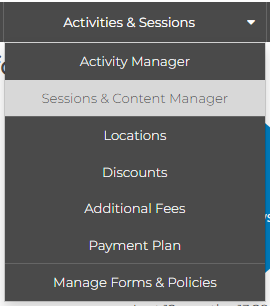
3. Find the session you want to edit and click Registration Open/Closed to edit the date.

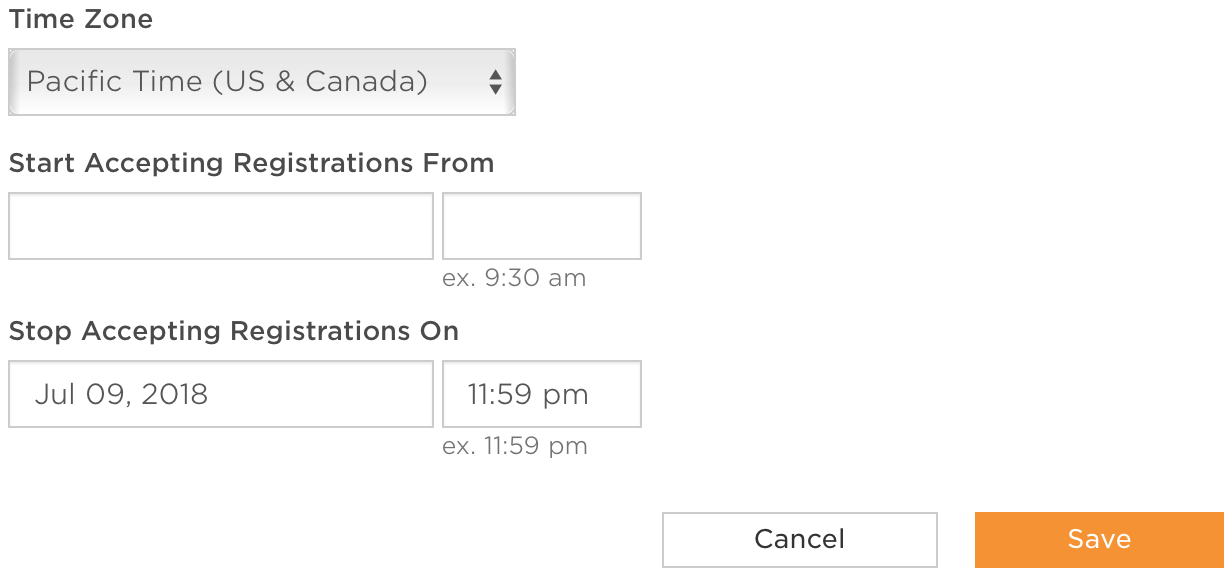
4. On the next page, edit the Stop Accepting Registrations On field and type the date and time you want to stop accepting registrations. Click Save to finish your changes.
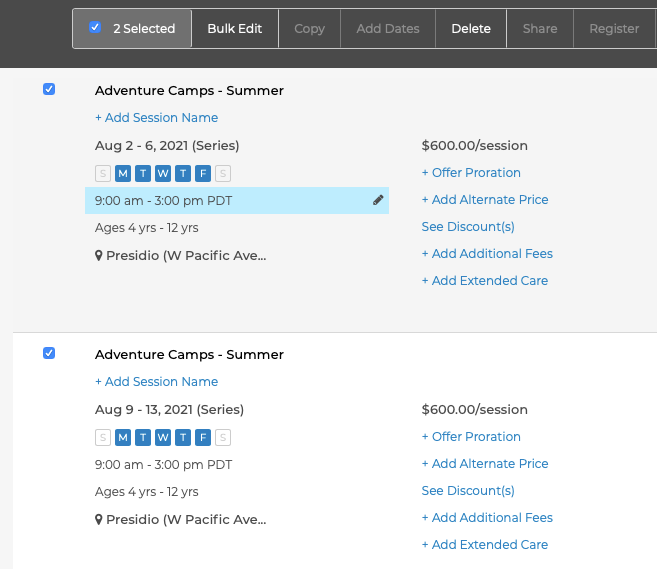
5. To make the same change to more than one session, select the sessions by checking the box on the left side, and then click Bulk Edit at the top of the list.
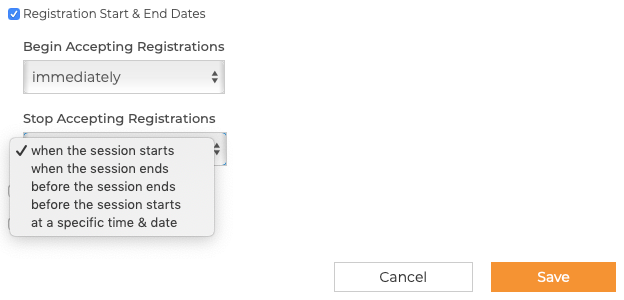
Then select Registration Start & End Dates to set when you want to stop accepting registrations for all of the selected sessions. Save your changes to complete the change.
Was this article helpful?
That’s Great!
Thank you for your feedback
Sorry! We couldn't be helpful
Thank you for your feedback
Feedback sent
We appreciate your effort and will try to fix the article