To create a custom file upload question:
Viewing the question and file
If you need families to send you a file as part of a registration form, you can add a custom question to the registration form by selecting the File Upload field type.
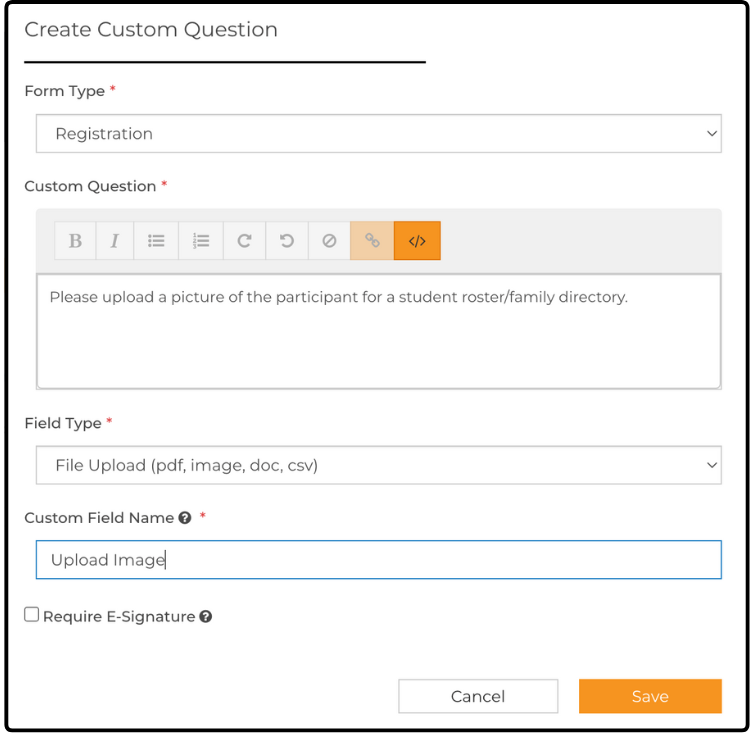
To create a custom file upload question:
- From your dashboard, hover over Activities & Sessions and click Manage Forms & Policies.
- On the Forms & Policies page, select the Custom Questions tab.
- Click + Add Custom Question.
- In the Custom Question field, type instructions and a description of the requested file.
- From the Field Type dropdown, select File Upload (accepted file types: pdf, image, doc, csv).
- Give your custom question a name.
- Add the question to your registration form.
Note: If you update an existing registration form and mark the question as required, a prompt asks whether you want to notify families. If you select Yes, the next time families log in to their ActivityHero account, they are asked to complete the new custom question on their registration form.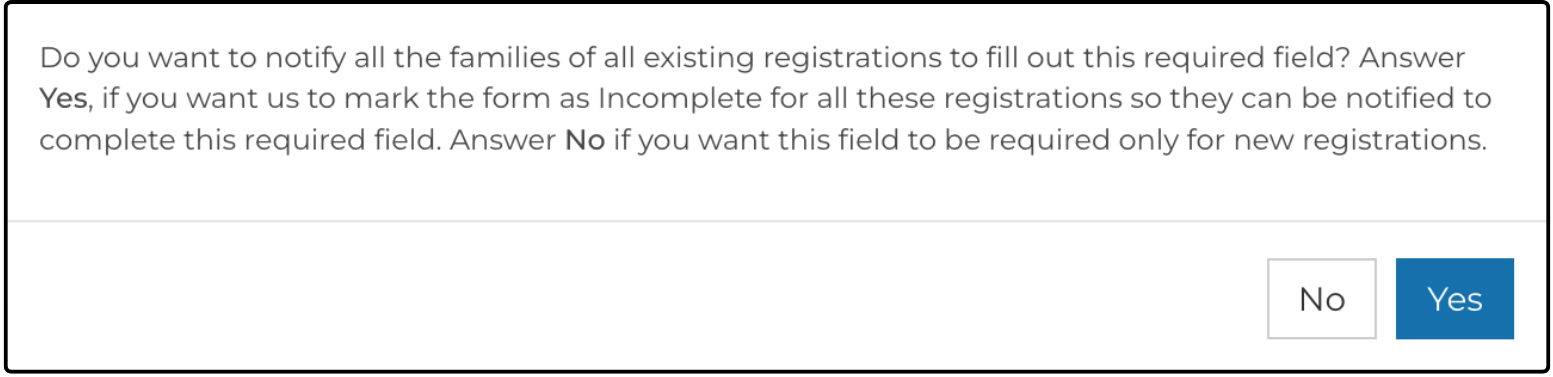
Viewing the question and file ↑
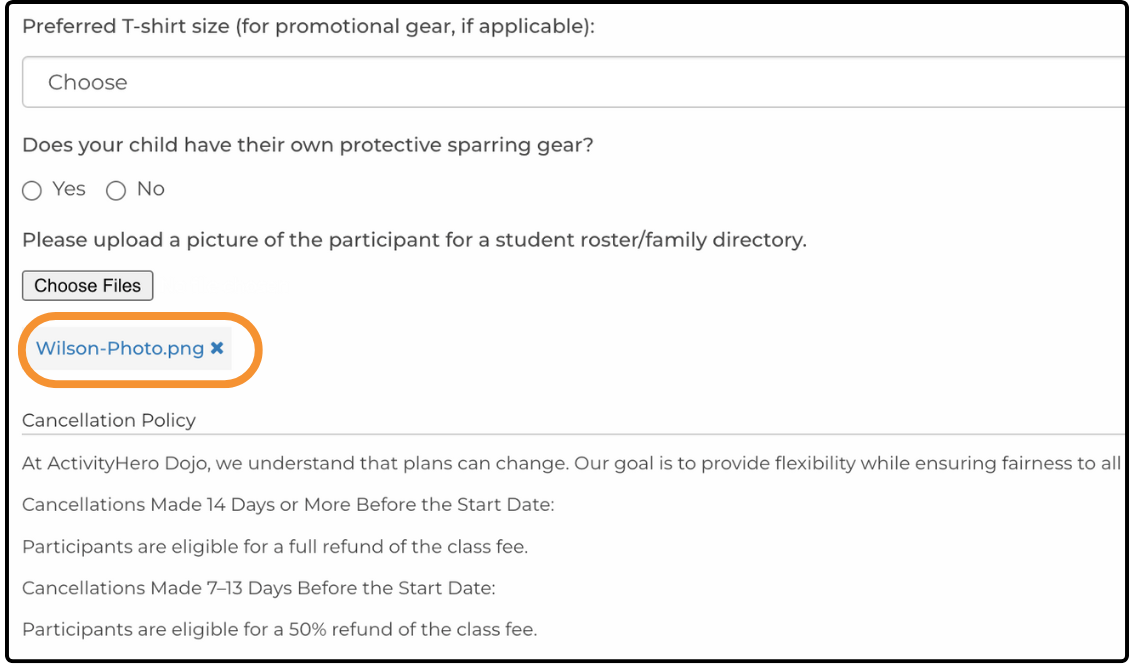
When families see the question, they have a Select Files option that they can click to upload files directly from their computer.

A link to the uploaded file is displayed when you view the full registration form.
For more information on customizing registration forms, see How do I customize my Registration Forms?
Related Articles ↑
Was this article helpful?
That’s Great!
Thank you for your feedback
Sorry! We couldn't be helpful
Thank you for your feedback
Feedback sent
We appreciate your effort and will try to fix the article