Learn how to get a list of participant names, phone number, email addresses and other information
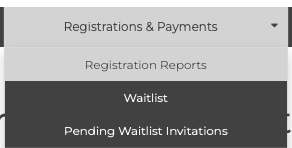
From your Dashboard, navigate to Registrations & Payments > Registration Reports.
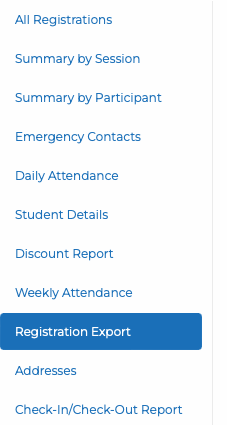
Then, from the list of reports on the left side of the page, select Registration Export.
At the top of the page, Download CSV is displayed.

You can first filter the report by date, location, or session to download a specific list of participants.
Was this article helpful?
That’s Great!
Thank you for your feedback
Sorry! We couldn't be helpful
Thank you for your feedback
Feedback sent
We appreciate your effort and will try to fix the article