ActivityHero lets you easily print rosters & sign-in sheets with all of the important information in one place.
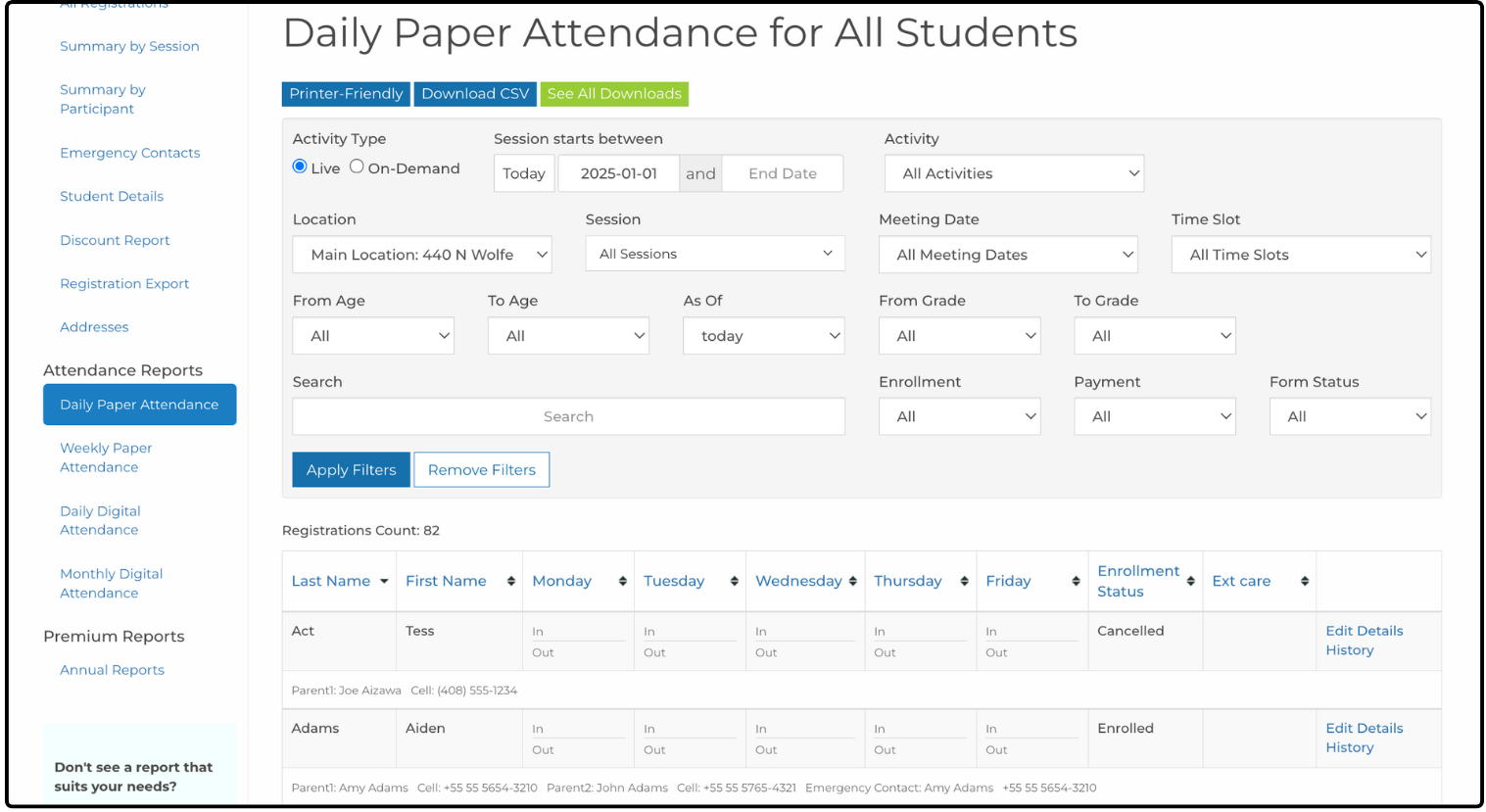
To print an attendance sheet:
- From your dashboard, hover over Registrations & Payments, then click Registration Reports.
- Click Daily Paper Attendance on the left side of the page.
- In the filters section, select the correct location and session for the attendance sheet.
- Click Printer-Friendly above the filters.
- Print the displayed list from your browser.
Was this article helpful?
That’s Great!
Thank you for your feedback
Sorry! We couldn't be helpful
Thank you for your feedback
Feedback sent
We appreciate your effort and will try to fix the article