Overview
Parent Notification Workflow
The table below summarizes the notifications families receive for monthly billing.
| Notification | |
|---|---|
| Upcoming automatic payment | The family receives an email reminder one day before the scheduled automatic payment date. |
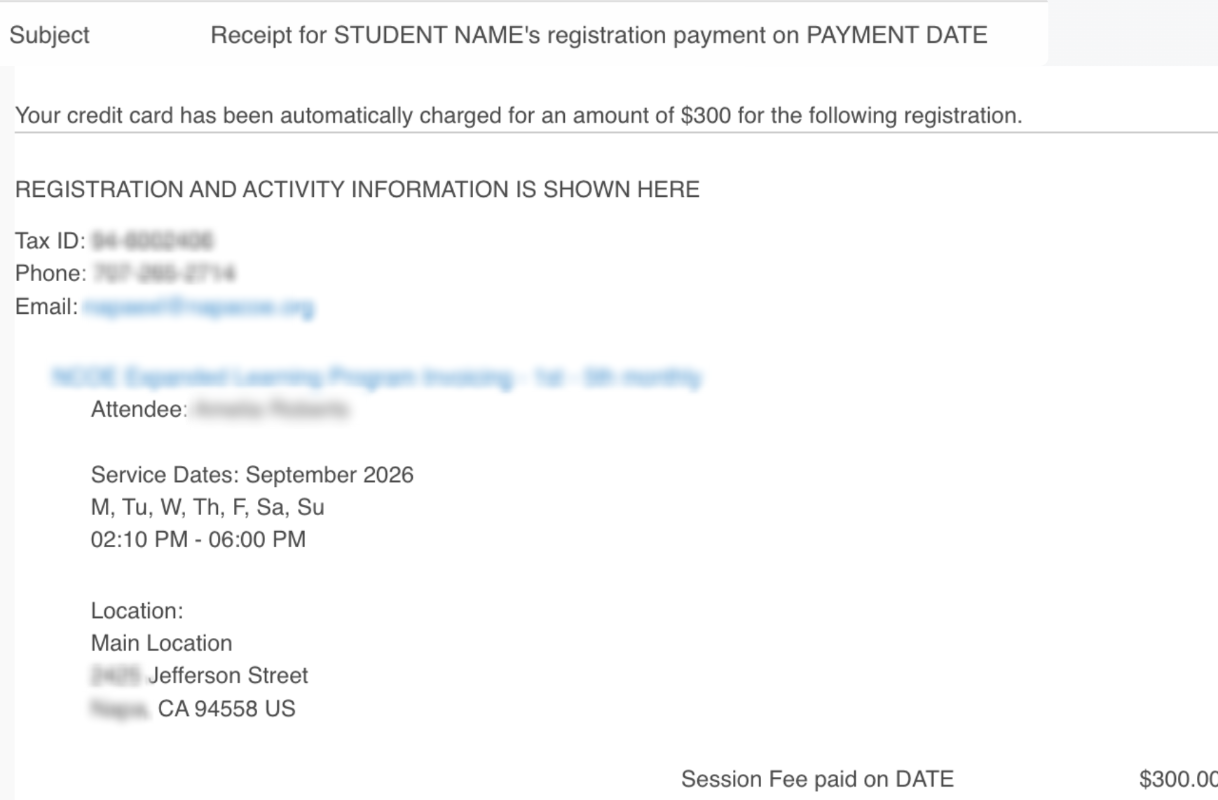
| Receipt for monthly payment | When payment is successful, the family receives a payment confirmation email that serves as a receipt. |
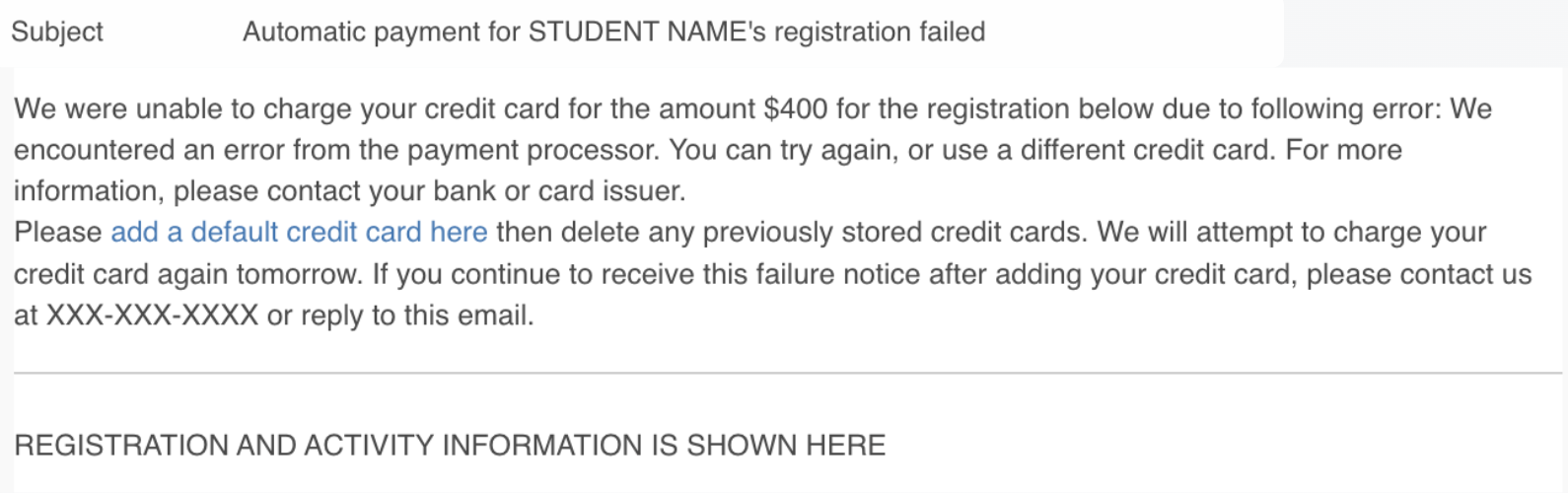
| Failed payment - email to parent | If payment is not successful, the family receives an email after each failed payment attempt. |
| Failed payment - email to district | If payment is not successful, the district receives an email after several failed payment attempts. |
Upcoming automatic payment
The family receives an email reminder one day before the scheduled automatic payment date.
SAMPLE EMAIL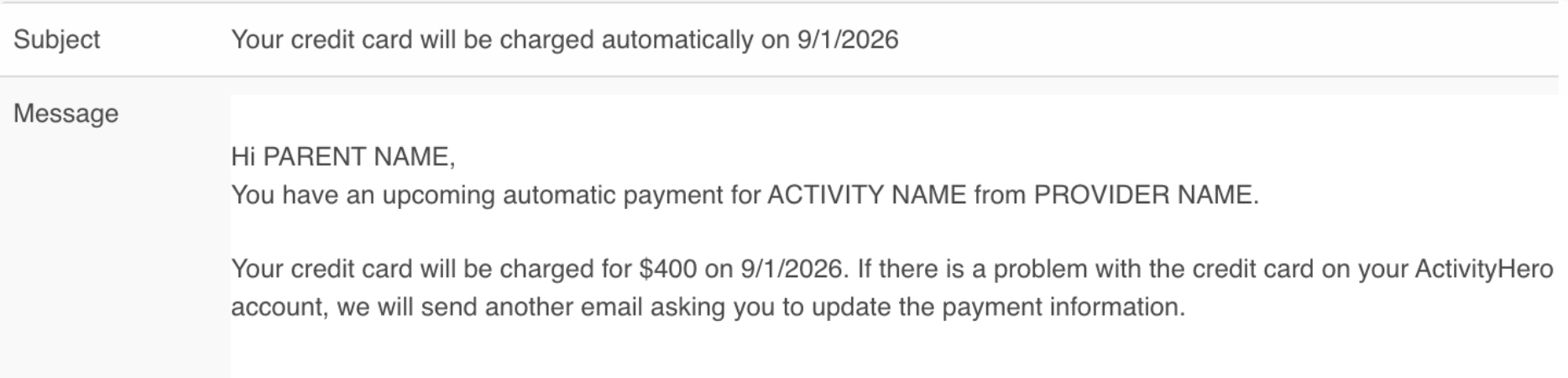
Successful payment
After a successful payment, the family is sent a receipt email.
SAMPLE EMAIL
Failed payment - email to parent
If the automatic payment fails, the family receives an email. The system automatically tries once a day for eight days.
SAMPLE EMAIL
Failed payment - email to district
When the payment has failed after several attempts, an email is sent to the district email. Administrators can use these notification emails to identify registrations that require follow-up with the family regarding payment issues.
SAMPLE EMAIL

Was this article helpful?
That’s Great!
Thank you for your feedback
Sorry! We couldn't be helpful
Thank you for your feedback
Feedback sent
We appreciate your effort and will try to fix the article