Bank account (ACH) payments are available as an alternative to credit card payments. This option can help reduce processing costs, but it comes with different timing and eligibility rules due to longer settling periods.
What Is a Bank Account (ACH) Payment?
Fees
Processing Time
On-Demand Subscriptions
Invoices
Refunds
Where ACH Payments Appear
Setting Up an ACH / Bank Account
Enter Bank Details Manually
Summary
What Is a Bank Account (ACH) Payment?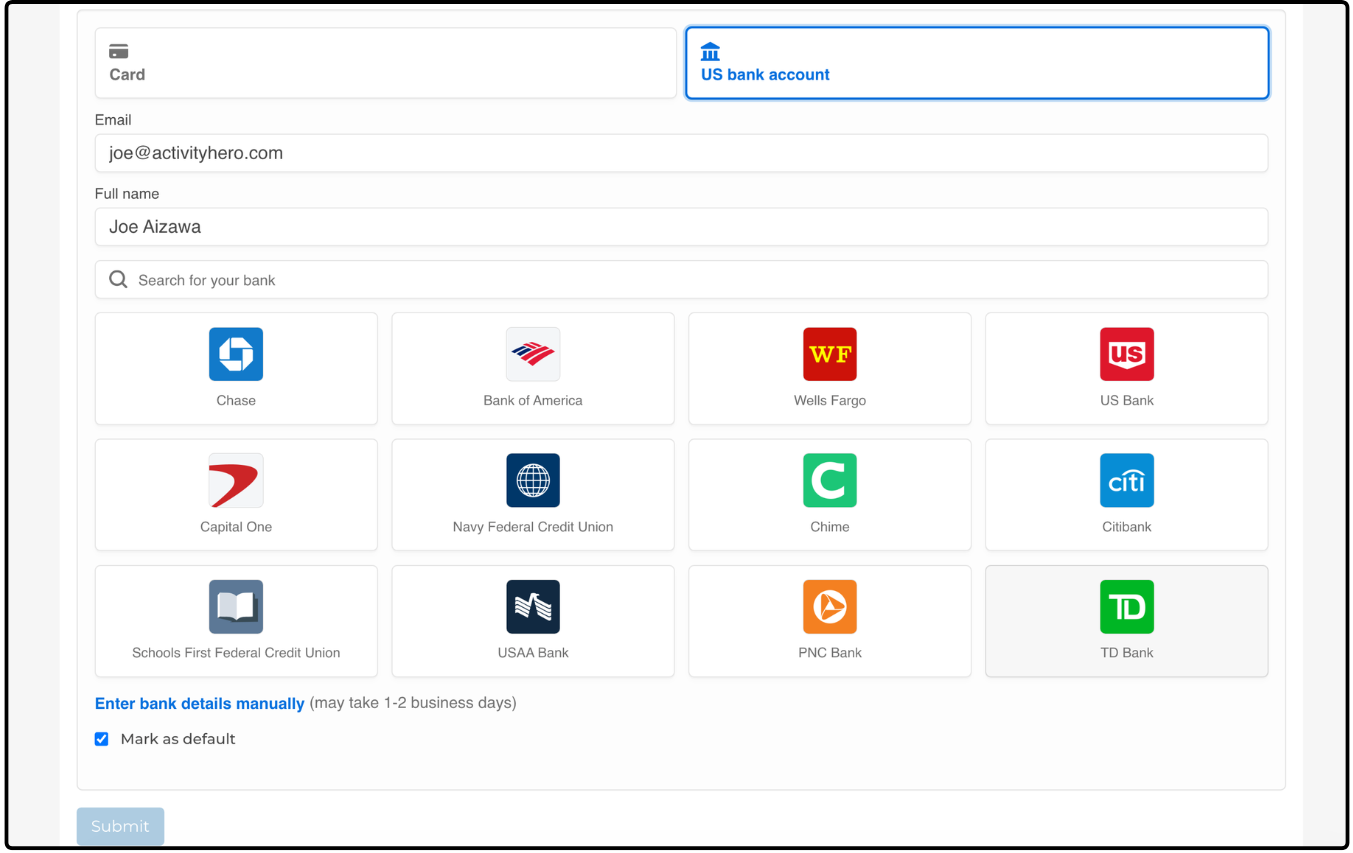
A bank account (ACH) payment lets families pay for registrations directly from their checking or savings account instead of using a credit card. This option has lower processing fees, but it takes a little longer to process than card payments.
Fees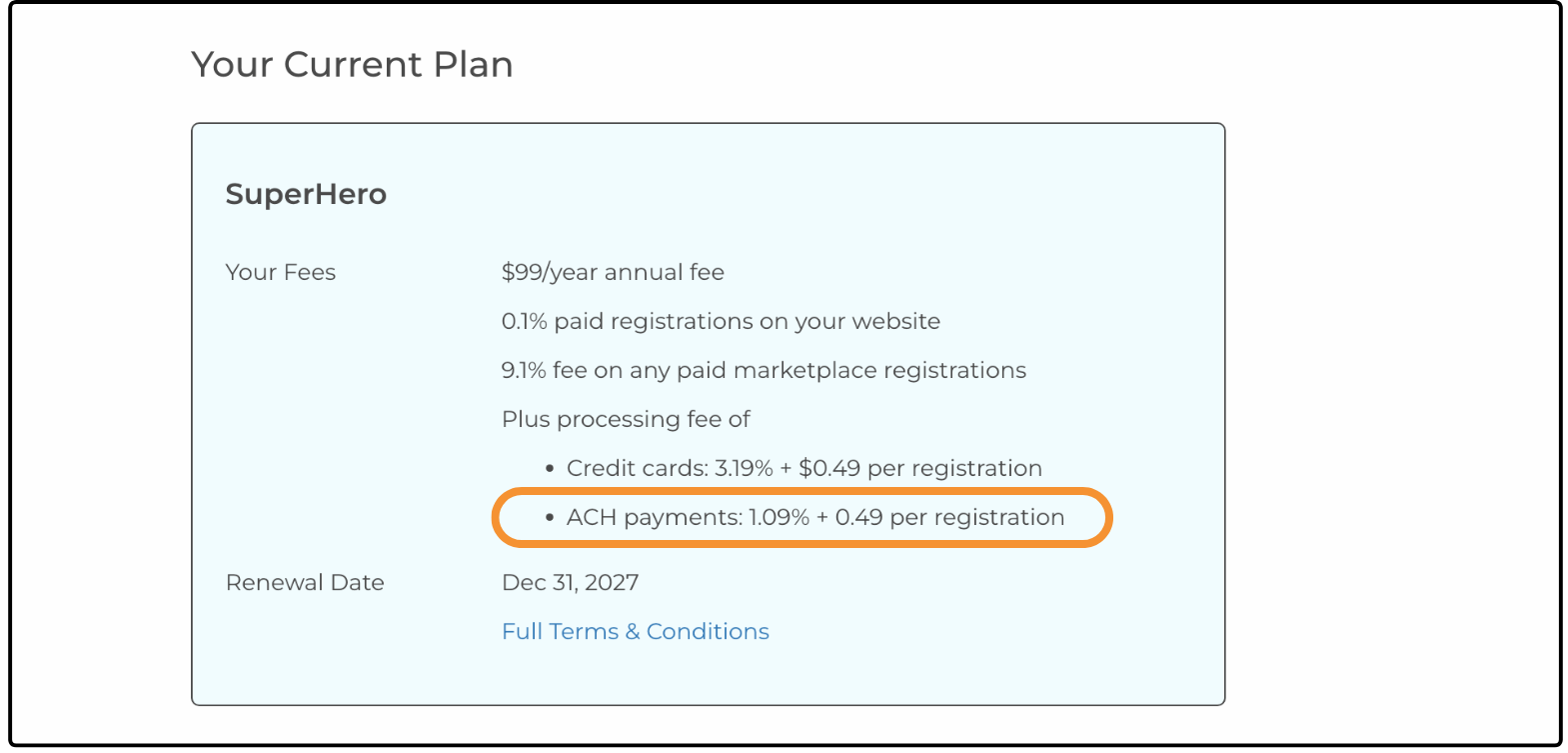 ↑
↑
When using ACH / bank account payments, there is a lower processing fee for SuperHero accounts:
- 1.09% processing fee per transaction + $0.49 per registration
For comparison, credit card payments are charged at 3.19% per transaction and $0.49 per registration.
Processing Time ↑
ACH payments take longer to clear and settle than credit card payments.
ACH / Bank Account: typically 3-5 business days to settle, which can be 5-7 calendar days if the payment is made between Tuesday and Saturday.
Credit Card: almost instantaneous
Because of this delay, ACH payments are only available in situations where there is sufficient time before a program begins.
To ensure successful settlement, ACH payments are limited in the following ways:
ACH payments can only be used if the program start date is more than 14 days away at the time of payment.
If the program starts within 14 days, a credit card payment is required.
On-Demand Subscriptions ↑
On-demand subscriptions cannot be purchased using ACH.
These subscriptions provide immediate access, which requires instant payment confirmation.
Invoices ↑
Invoice eligibility for ACH is based on the first meeting date.
If the first meeting date is at least 14 days away, ACH / bank account payment is available.
If it is within 14 days, only a credit card payment is displayed.
Refunds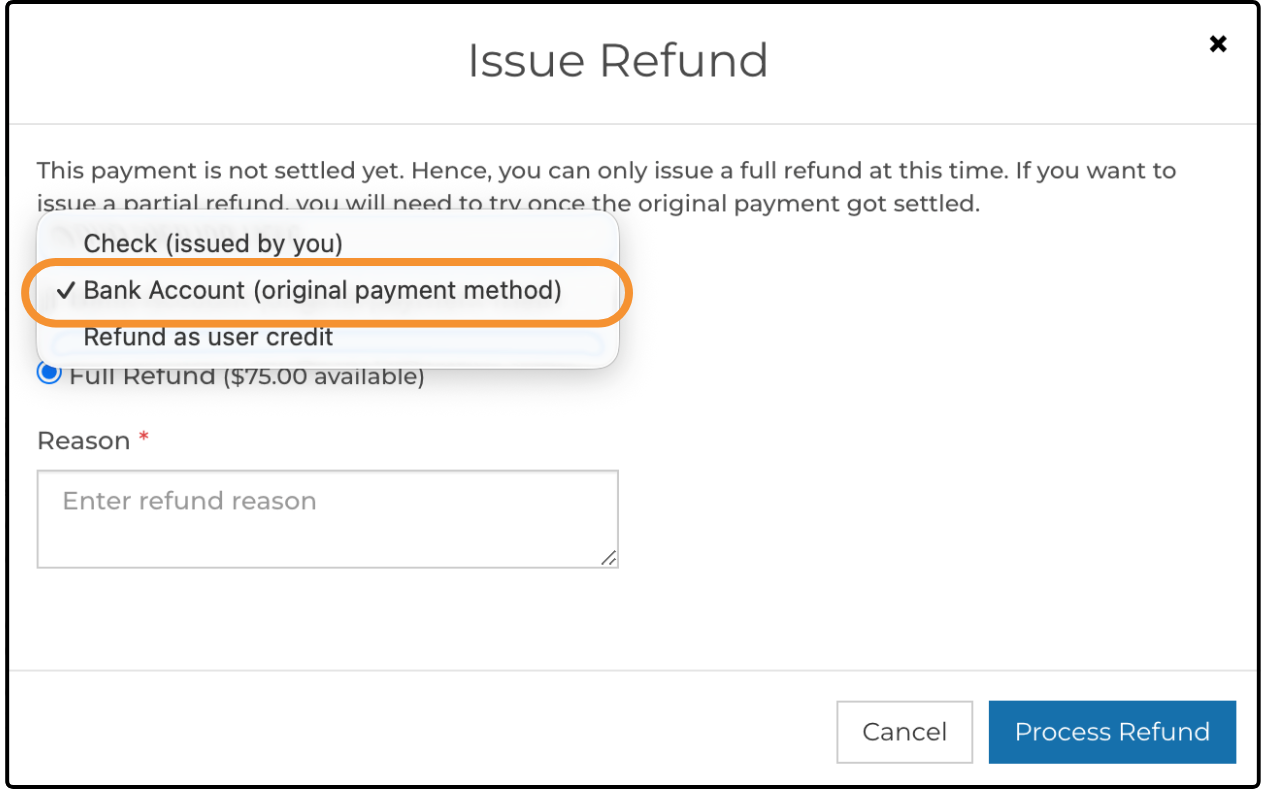 ↑
↑
Refunds for ACH payments are more limited due to bank processing timelines. This is why the 14-day buffer is required before a program starts.
Refund options include bank account refunds when ACH is used.
Some refund options that are available for credit card payments are not available for ACH payments.
Where ACH Payments Appear ↑
Checkout
The ACH / bank account option appears during checkout on the cart page when the registration is eligible.
Account Settings
ACH is also available to families when adding a payment method in account settings.
Manage Your Plan
The Manage Your Plan page displays bank fees alongside other ActivityHero fees.
Registration Reports
Registration reports indicate when a payment was made via bank account (ACH).
Setting Up an ACH / Bank Account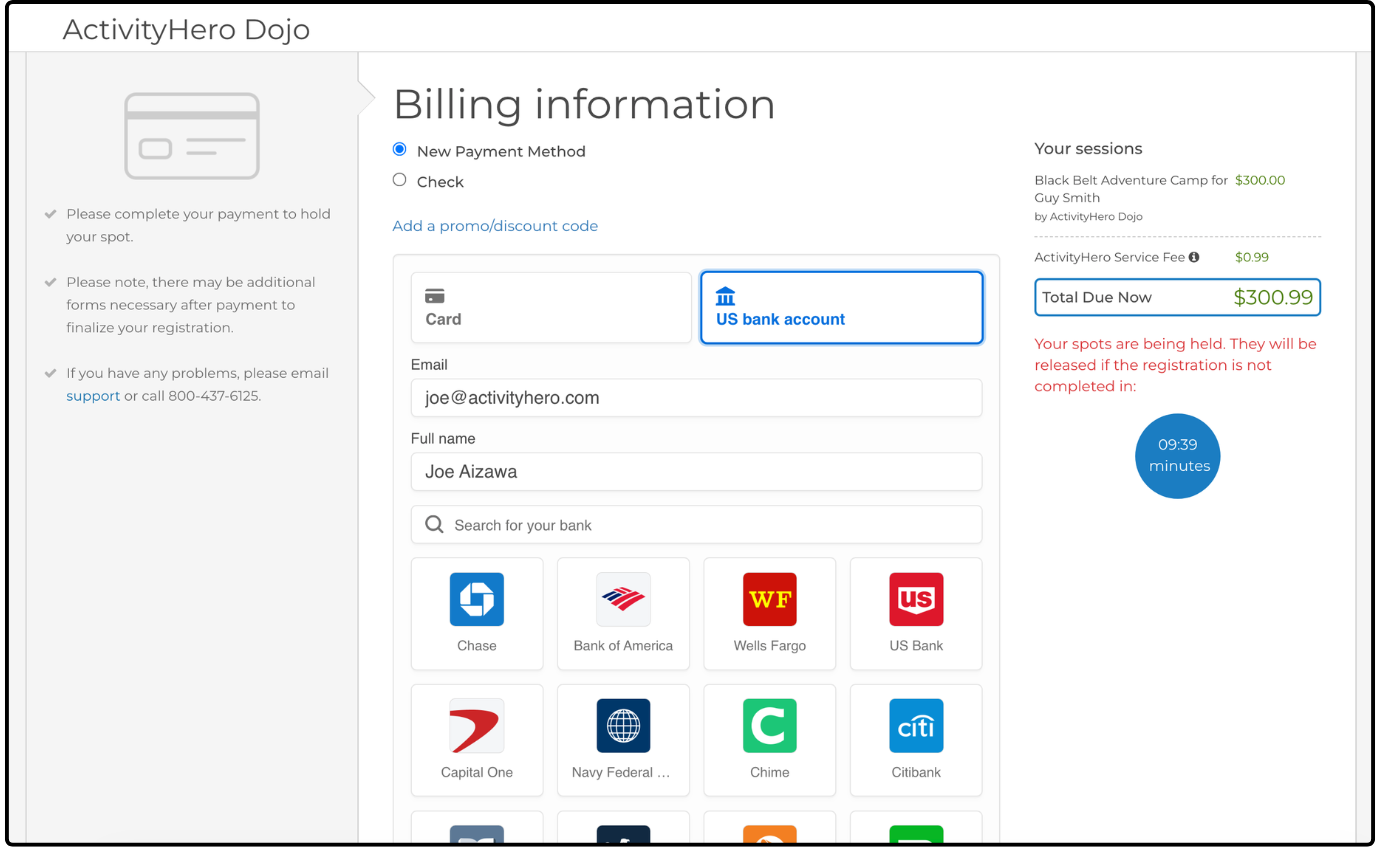 ↑
↑
From the cart, or when adding a payment method (navigate to My Account > Payment Settings), click the US bank account tab. Your email address and name are auto-filled from your account information, but verify that they are correct.
Use the search to find your bank in the available options, or click your bank directly from the list.
Type your online banking credentials to connect your account.
Enter Bank Details Manually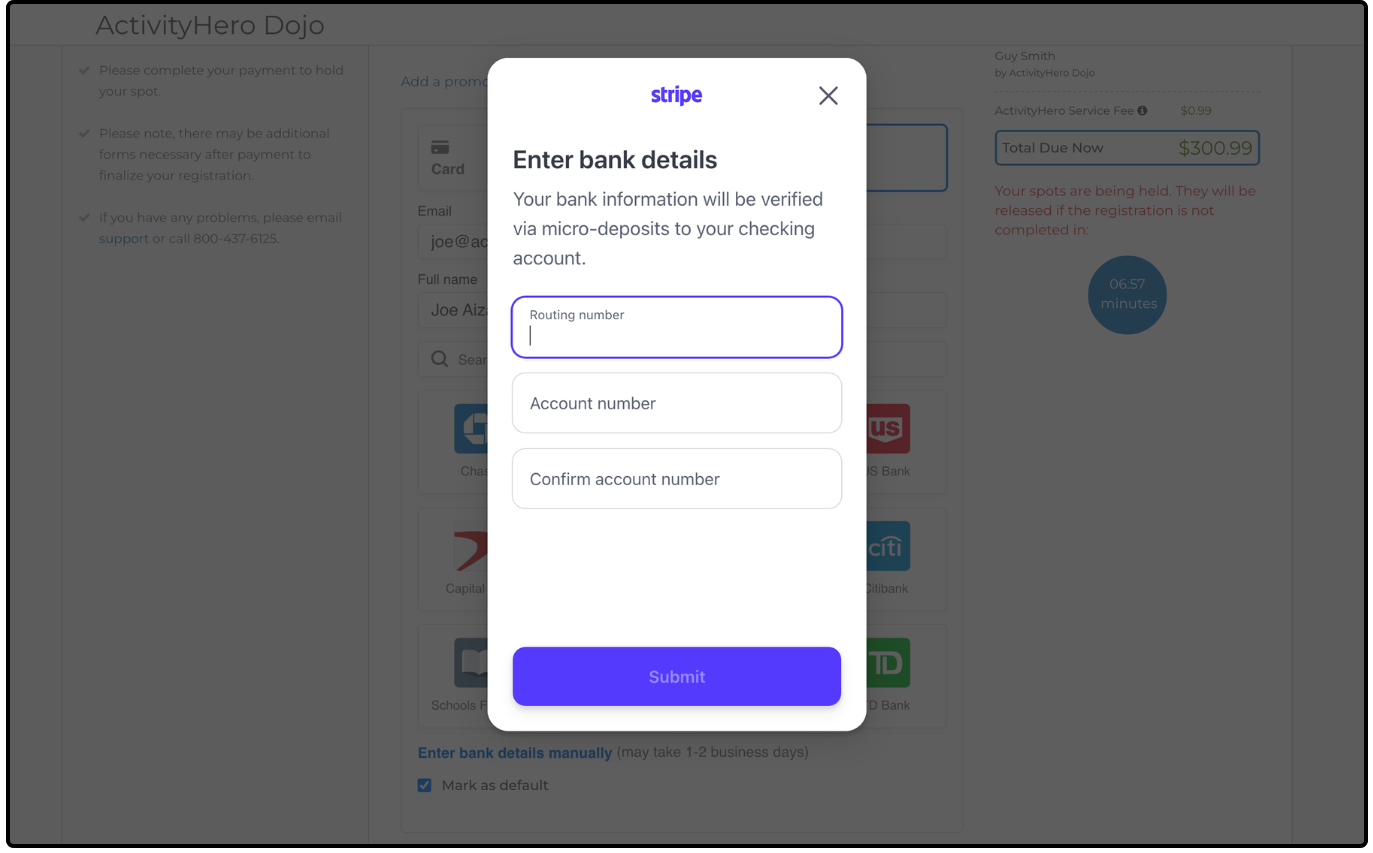 ↑
↑
If you cannot find your bank, or if you prefer to enter the information yourself, select Enter bank details manually. It can take 1-2 business days to complete setup.
Type your routing and account numbers.
Summary ↑
ACH / bank account payments offer a lower-fee alternative to credit cards but require additional time to process. To allow sufficient time for the payment to be completed, this payment method is only available for programs and invoices that start at least 7 days in the future. For immediate access or last-minute registrations, credit card payments remain the best option.
Was this article helpful?
That’s Great!
Thank you for your feedback
Sorry! We couldn't be helpful
Thank you for your feedback
Feedback sent
We appreciate your effort and will try to fix the article