Yes! The Custom Availability Calendar is perfect for allowing families, learning pods, scout troops, and more to schedule custom sessions, including tutoring, private workshops, and birthday parties.
To set up your custom availability calendar:
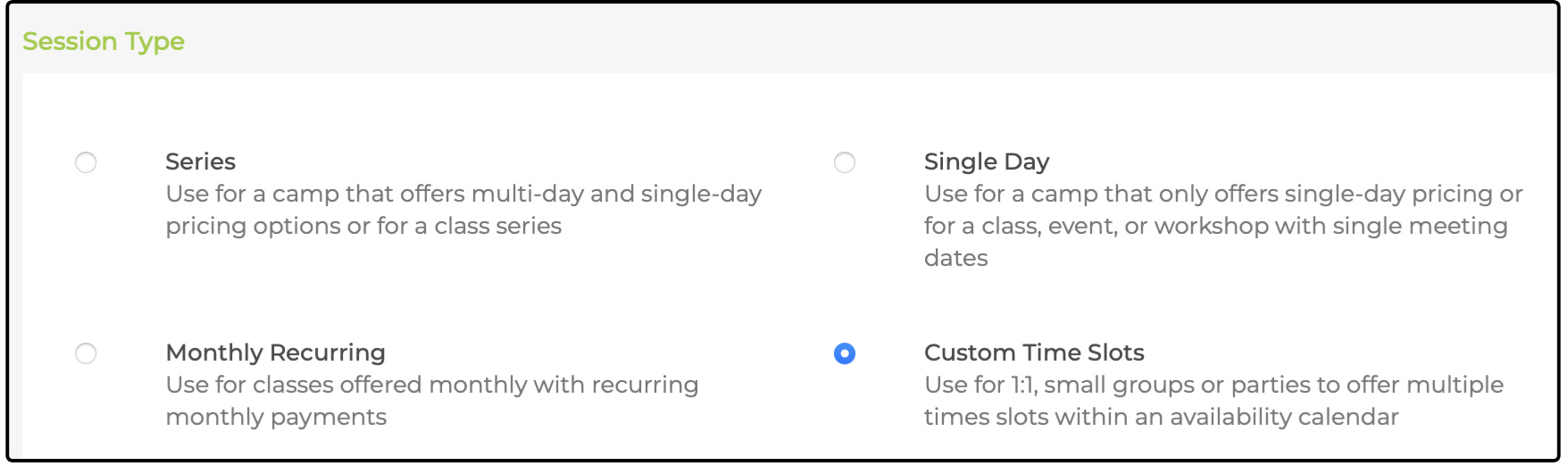
1. Create a new activity and add a session. Select Custom Time Slots as the session type:
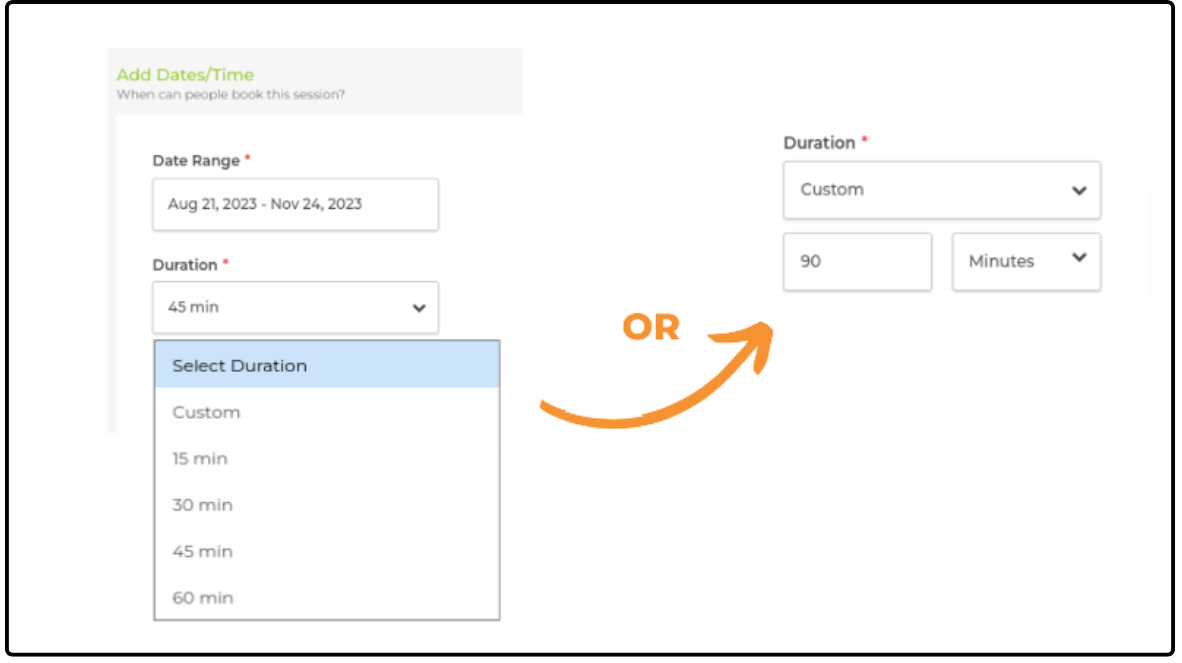
2. Select a Date Range for your session and the Duration for each session. Use the Custom option for session lengths that are not available in the menu. Sessions can be as long as 12 hours:
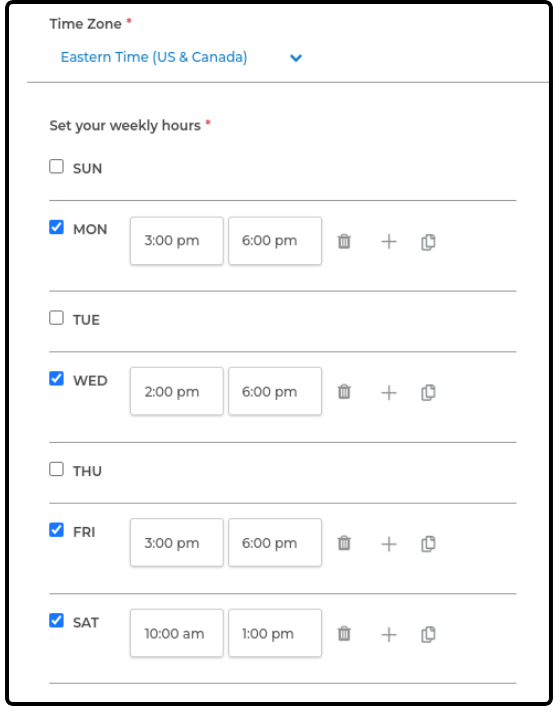
3. Select the Time Zone your sessions are held in and set your weekly hours. You can set different times for different days, and days left blank are marked as unavailable for booking:
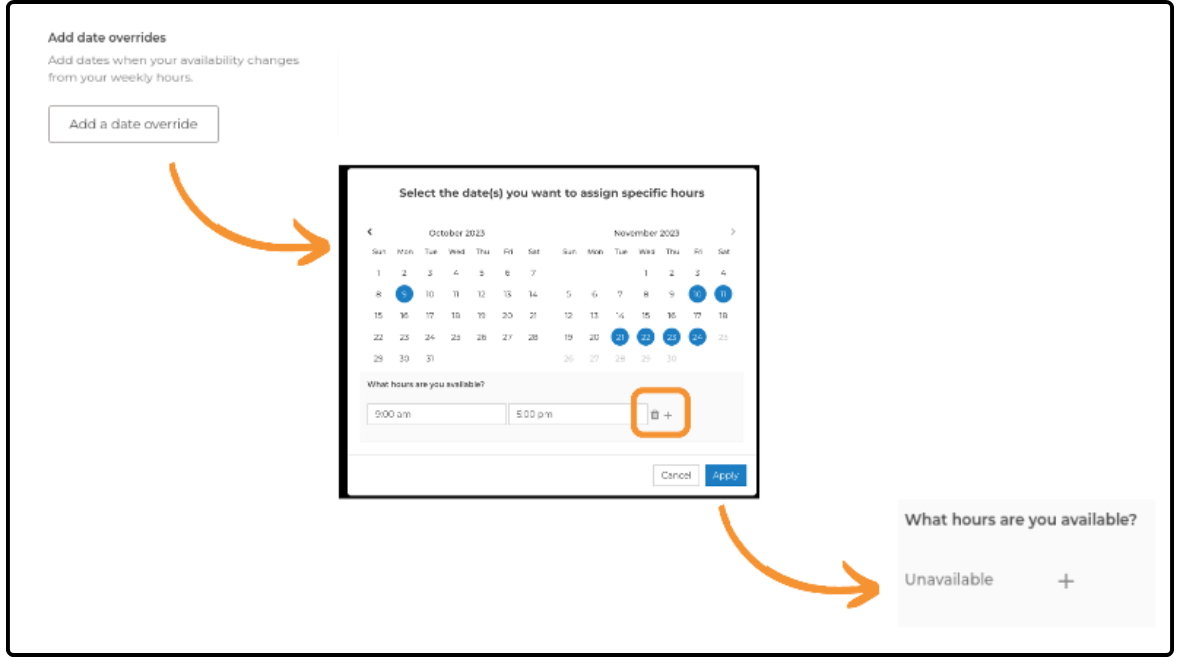
4. To mark other days as unavailable for booking, Add a date override. Select your dates and click the trash can icon to mark them as unavailable. You can also use the date override to change the available hours on other dates:
5. Select whether to add a buffer between sessions. A buffer can give you time to take a break and prepare for the next session:
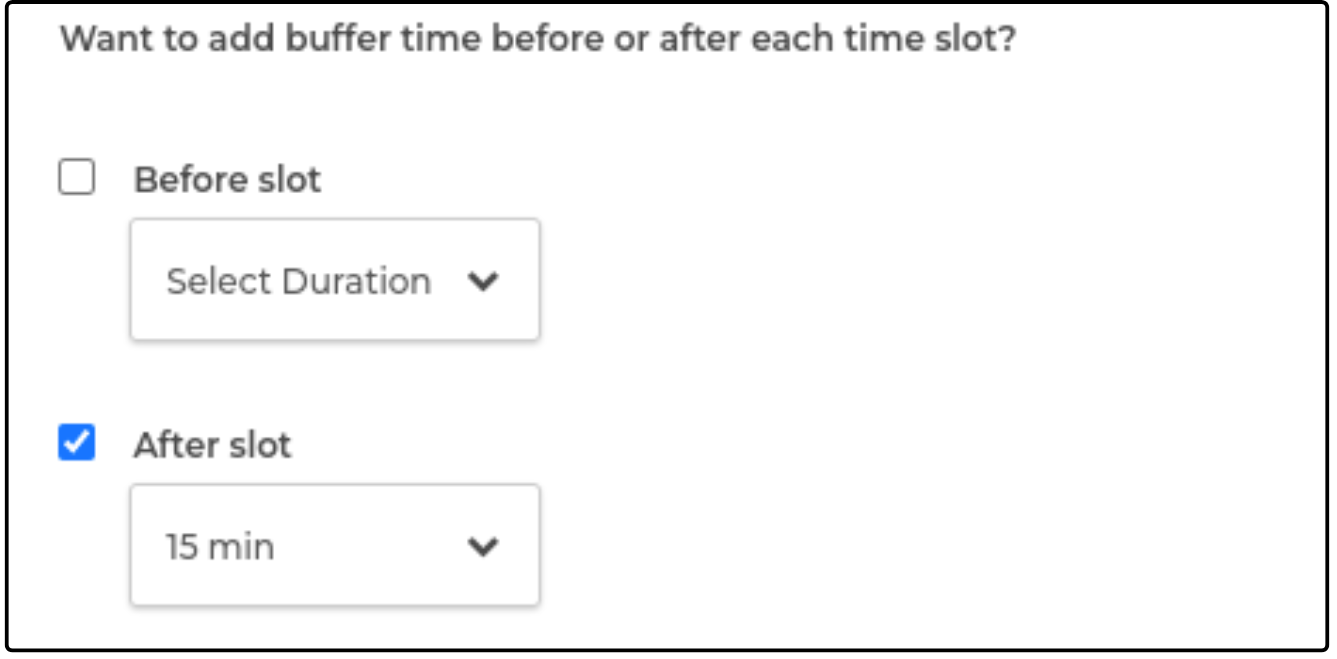
6. Complete the session setup by adding pricing and capacity information to publish your session. Post-registration information, including instructions for joining the session and online classroom links, can be added as well.
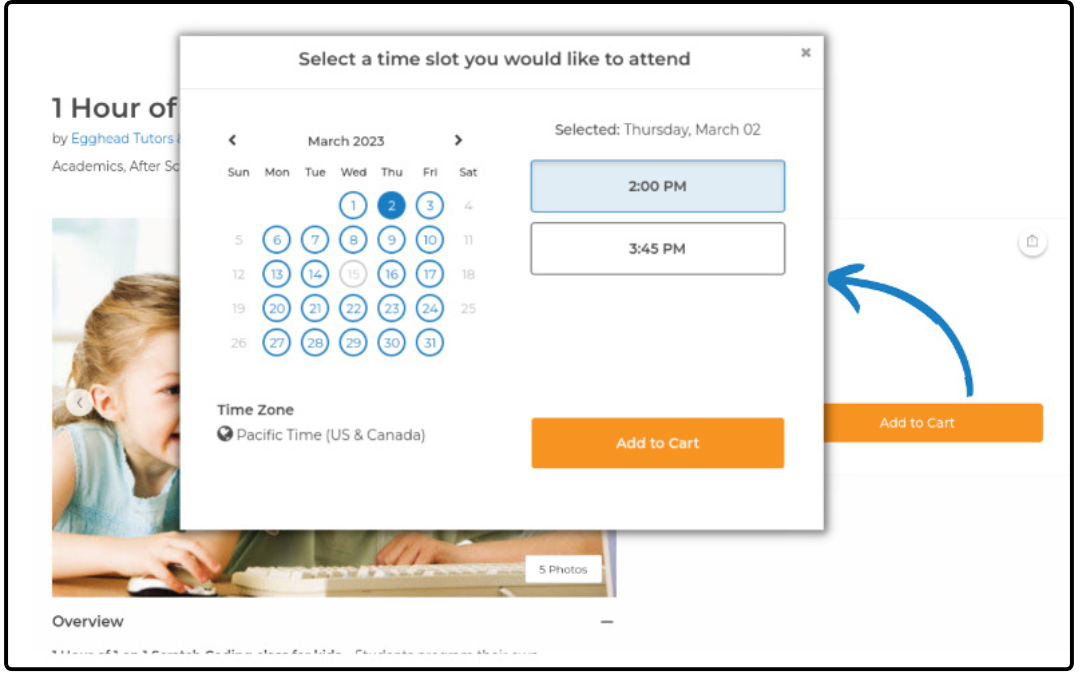
When complete, your custom calendar is visible to families:
Was this article helpful?
That’s Great!
Thank you for your feedback
Sorry! We couldn't be helpful
Thank you for your feedback
Feedback sent
We appreciate your effort and will try to fix the article