Sometimes you need to edit information about your camps, such as the location or the number of available spots. This article explains how to edit your sessions.
Note: If you want to remove a session from view because it has been cancelled, you can select Unpublished for the status. If a session is full, you can start a waitlist by setting the available spots to 0.
Quick Edit
-
From your dashboard, navigate to Activities & Sessions > Sessions & Content Manager.
-
All fields on the page are clickable. Hover your mouse over the session you would like to edit, and click the item you want to change.
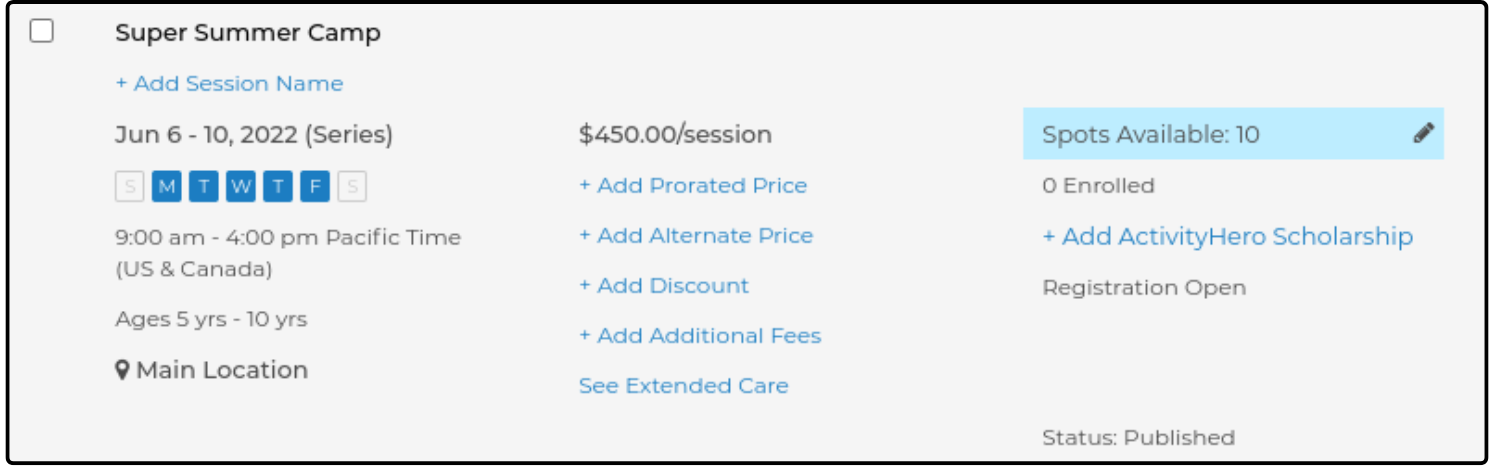
-
Once you are done, click Save to finalize your changes.
Edit Details ↑
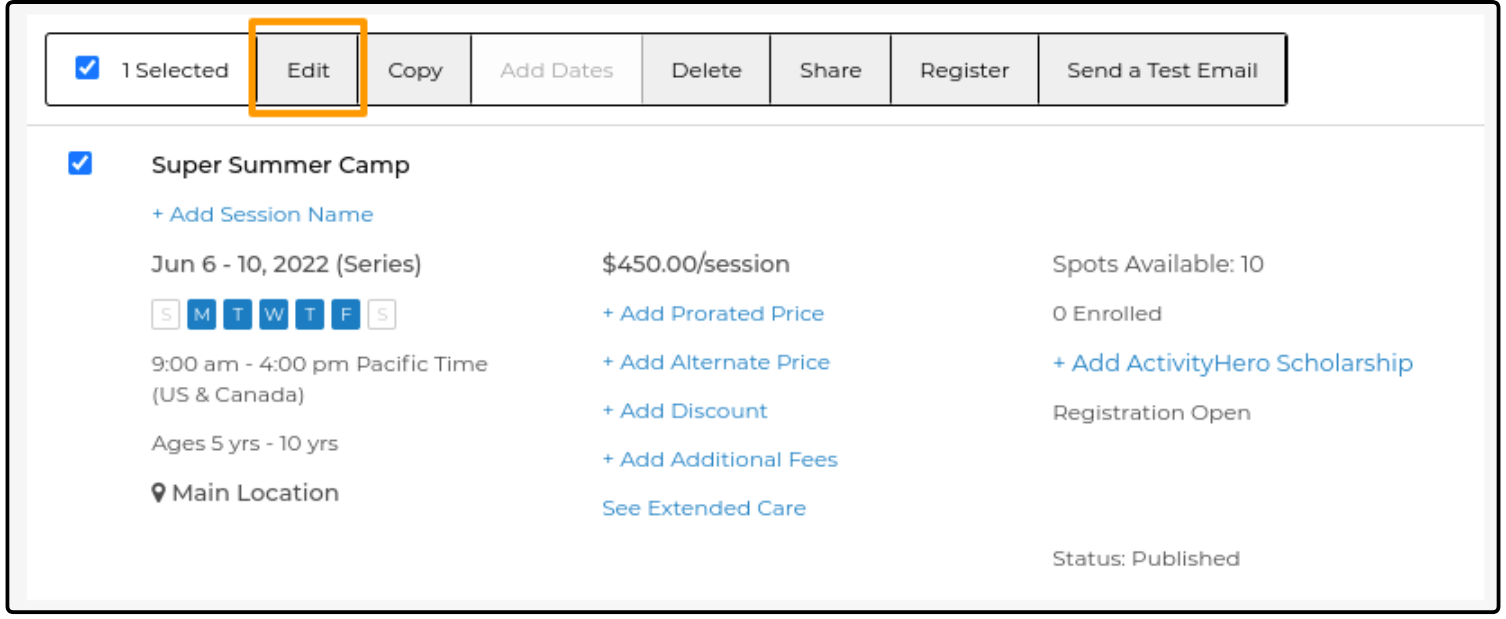
If you want to review or edit all of the session information at once, select the check box on the left side of the session and click Edit at the top of the list.
This opens a page that displays all of the session information and allows you to edit any of the items.
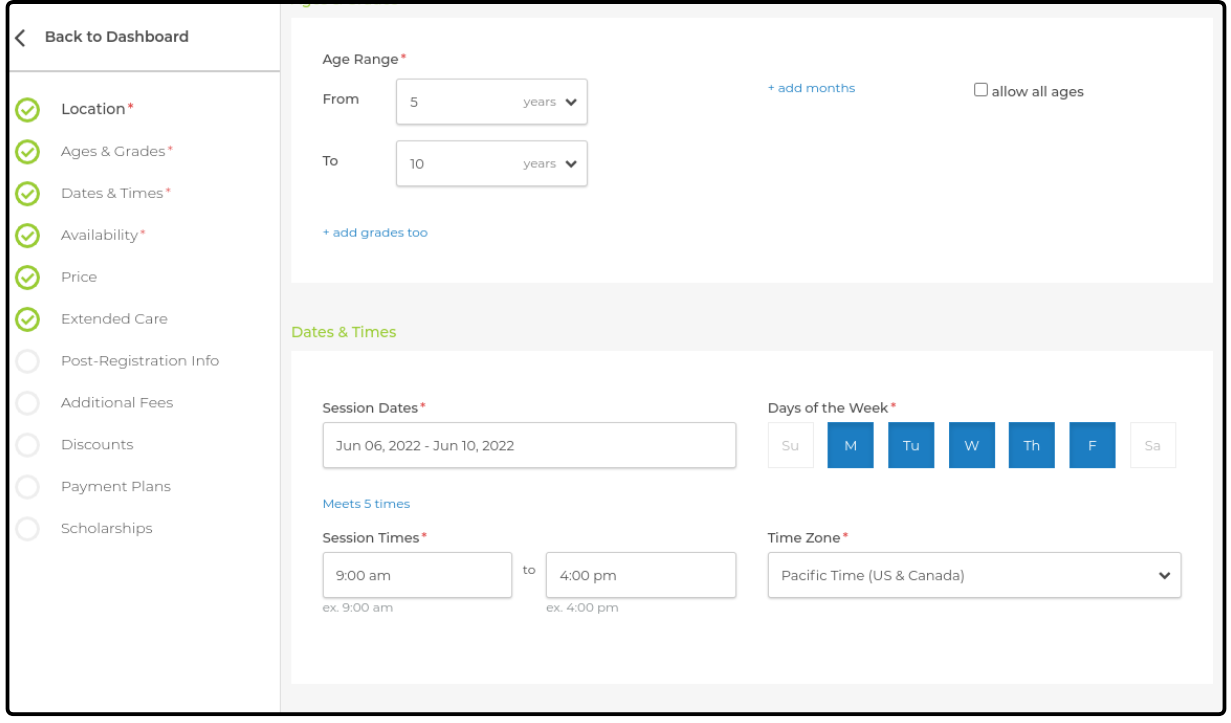
Click Save to confirm your edits.
Was this article helpful?
That’s Great!
Thank you for your feedback
Sorry! We couldn't be helpful
Thank you for your feedback
Feedback sent
We appreciate your effort and will try to fix the article